 ssok Launcher
 ssokEdit
 ssokIQ
 ssokCLI
 ssokMusic Free
 ssok Keyword Extractor
 ssokPlayer
 ssokKit
 SsokRecorder
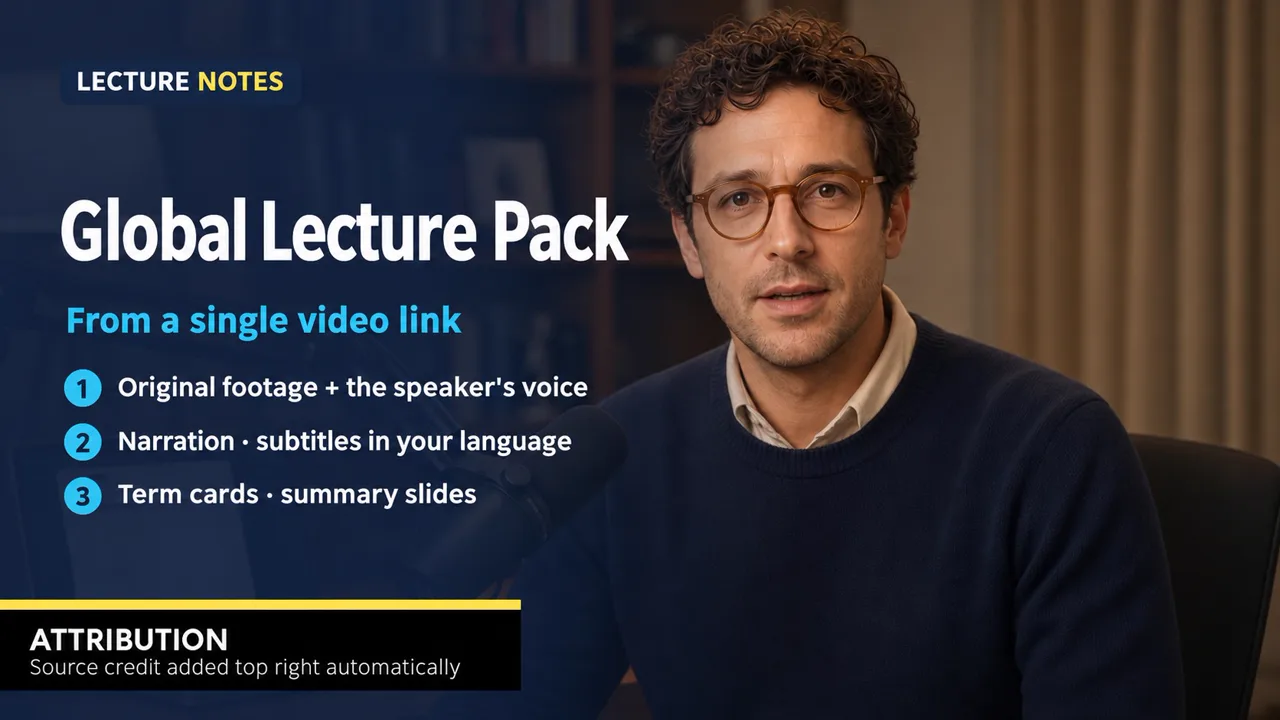
Overseas Lecture Pack (Free)
Turn an overseas lecture or interview (URL or file) into a Korean explainer video — original footage + the speaker's own voice + Korean subtitles, term cards, and summary slides
Free
1-year license from the payment date · 1 PC(s) · Seller: Strokehub Co., Ltd.
Signed-in members can download this for free. Import the pack file (.ssokpack) in ssokEdit → Pack Manager → "Import pack file", or install it directly from Pack Manager → Market packs.
Overseas Lecture Pack
Paste the URL or upload the video file of an overseas lecture or interview, and it builds a 16:9 Korean explainer video that uses the original footage and the speaker's own voice.
What you get
- The original footage — While the narration plays, the matching scene from the original runs silently underneath. Key lines play in the speaker's own voice with Korean subtitles.
- Only what's in the original — It transcribes the original and writes the script using only the facts, numbers and stories it contains. No made-up numbers.
- Lecture-explainer flow — A hook built on a numeric contrast → three points to watch for today → the protagonist's failure and the one thing that held them back → 2–3 methods (why · how · numbers) → correcting numbers that are easy to exaggerate → three takeaways → a first step to try today.
- Term cards · summary slides — Key terms appear as yellow-band cards in the lower left (English term + one-line meaning); points, formulas and the wrap-up appear as numbered summary slides on a navy screen.
- Lecture-channel layout — Subtitles in semi-transparent navy boxes, your channel name in the upper left, and 「Source · original channel」 in the upper right.
Input
- Original video URL or original video file (one is required) — For long videos, only the first 40 minutes are used.
- Topic — One line on the angle to take. Leave blank to follow the original's flow.
- Channel name — Upper left (default: 해외강의 노트)
- Source credit (optional) — Defaults to the original channel name if left blank
How to use
- ssokEdit → Pack Manager → get it from the Pack Market
- Create with Pack → 「Overseas Lecture」 → original URL (or file) · topic · length (default 3 minutes)
- When it's done, you can edit the original clips, subtitles, term cards and slide text directly in the timeline.
Requirements
- ssokEdit 0.8.2 or later
- Auto subtitles (whisper) — transcribes the original. Set it up once in the Subtitles tab.
- The video download tool (yt-dlp) is downloaded automatically the first time you use it.
- Script: brain AI (Claude, Codex, etc.); narration: Fish Audio or free Edge voices
When using someone else's video, always check that you have the creator's permission or are within fair quotation limits, and don't remove the source credit. Copyright responsibility lies with the person who uploads the video.