AI translation This post was translated from Korean by AI. View original

ssokMusic Free
A free AI music program that makes songs on your own PC's graphics card. Write lyrics and a style, and it becomes a song.
Downloaded 151 times so far · Latest version 2026-09-29
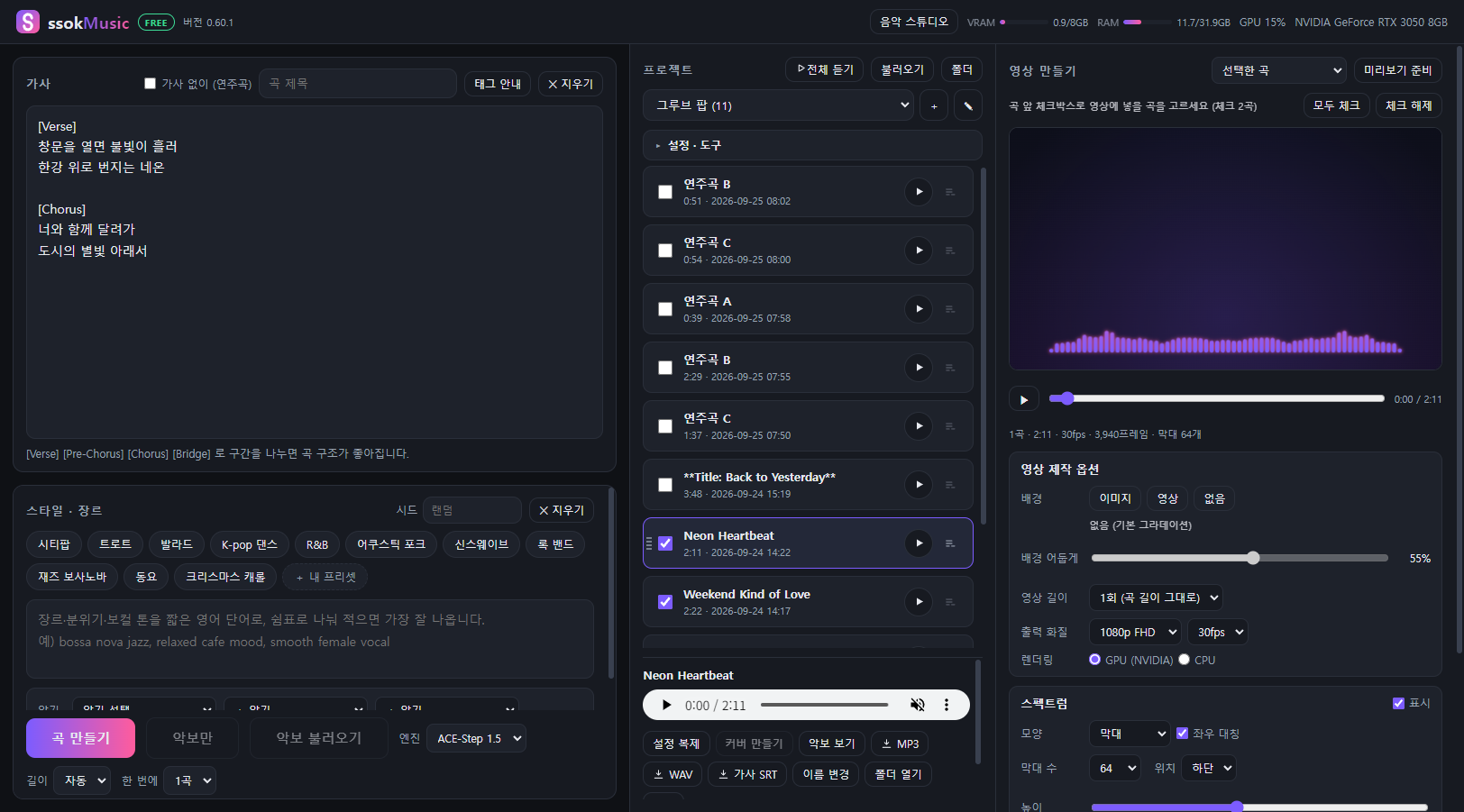
Write lyrics and a style (genre, mood, instruments) and it makes a song on your own computer's graphics card.
There are no usage fees, and the songs you make are saved only on your PC.
What you can do
- Choose between two AI music engines
- YuE2 — composes a score (ABC notation) first, then sings it. View and edit the score, make covers from a score, import MIDI.
- ACE-Step 1.5 — the fast engine (about 2–3 minutes for a 3-minute song). Saves lyric subtitles (SRT) timed to the song.
- Make videos — turn your songs into a playlist video (MP4) with a moving spectrum. Background image or video,
set the repeat count or length, 720p to 4K, NVIDIA GPU encoding.
- Mini player to listen to everything, export as an album (MP3 · WAV), import music made elsewhere.
Installation
- Download the installer with the Download button below and run it.
- The first time you open it, the AI music engine screen appears. It shows what each engine needs alongside your PC's graphics card
and free space, and lets you install an engine if your PC meets the requirements (about 11–12GB per engine).
- The app also opens without an engine (listen to imported songs, make videos).
The installer isn't digitally signed, so Windows may show a security warning.
Click "More info" → "Run anyway" to install.
Requirements
| YuE2 | ACE-Step 1.5 | |
|---|---|---|
| Graphics card | NVIDIA RTX 30·40·50, 8GB or more | NVIDIA RTX 20·30·40·50, 8GB or more |
| Free space | 20GB | 18GB |
| 3-minute song (RTX 3050) | about 8–20 min | about 2–3 min |
The AI engines don't work on AMD or Intel graphics, or on Mac. 16GB or more memory (RAM), Windows 10 · 11 (64-bit).
Rights to the songs you make
- Songs made with YuE2: individual creators may publish, sell and monetize them (business use requires a separate agreement with the model's creators).
- Songs made with ACE-Step 1.5: the model is MIT-licensed, so you can use them commercially.
- Check YouTube's and your music distributor's AI music policies before uploading.
Minimum requirements
Release history
Stuck?
Tell us where you got stuck and what appeared on screen. It's the first thing we look at when fixing the next version.