 ssok Launcher
 ssokEdit
 ssokIQ
 ssokCLI
 ssokMusic Free
 ssok Keyword Extractor
 ssokPlayer
 ssokKit
 SsokRecorder
ssokEdit Production Packs
Code Explainer Production Pack (Free)
A ssokEdit production pack that turns a one-line topic or your own code into a coding tutorial video with live typing and line highlighting
Free
1-year license from the payment date · 1 PC(s) · Seller: Strokehub Co., Ltd.
Signed-in members can download this for free. Import the pack file (.ssokpack) in ssokEdit → Pack Manager → "Import pack file", or install it directly from Pack Manager → Market packs.
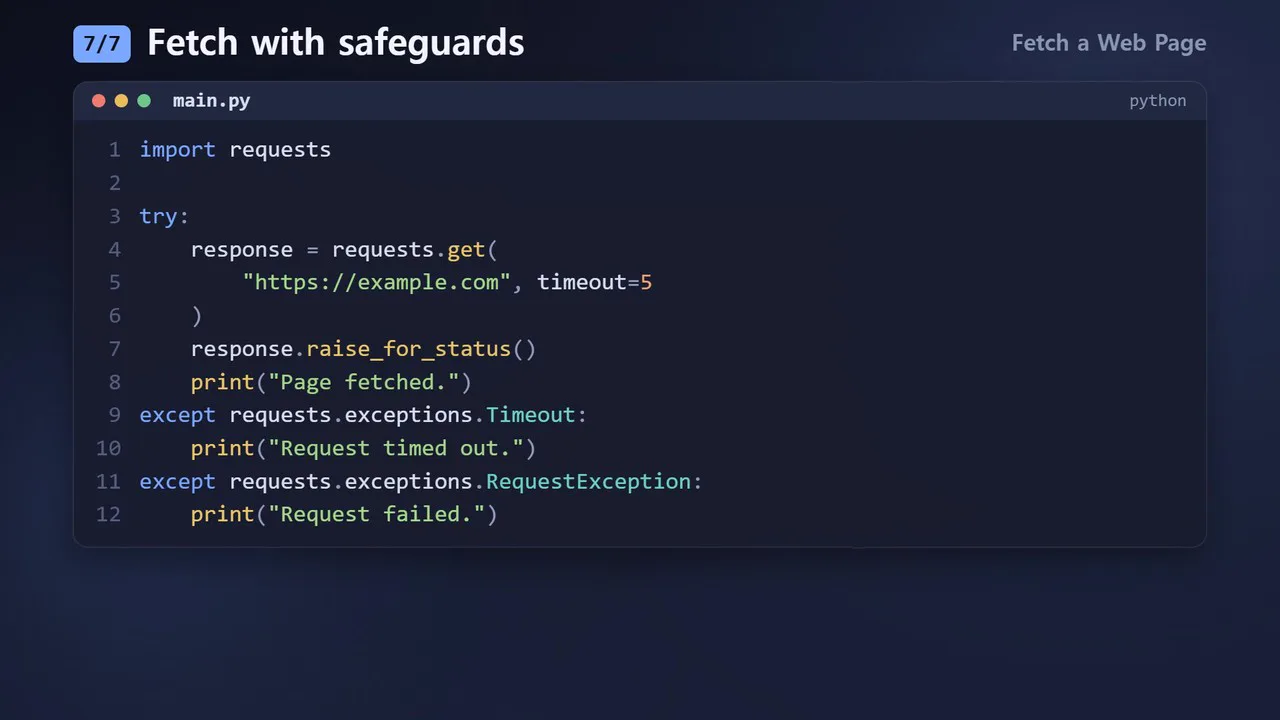
Enter a single topic line and get a coding explainer video: code types itself into an editor window, the line being explained is highlighted, and the code transforms into the next step.
Create code explanation videos without screen recording. The AI doesn't write scene code, so it's fast and the visuals always look consistent.
- Typing code — When a file first appears, the code is typed out character by character, with line numbers and syntax colors
- Line highlighting — The line being explained gets a highlight bar and marker, while the other lines dim slightly
- Transforming code — When moving to the next step, unchanged lines slide into place, removed lines disappear, and only new lines are typed
- Terminal scenes — Commands are typed and output appears line by line
- Your code, as is — Paste in your code and it's shown without changing a single character, explained line by line. For long code, only the 16 lines around the explained line are visible
- Syntax highlighting — Python · JavaScript · TypeScript · Dart · Java · C · C++ · Go · Rust · SQL · Shell · HTML · CSS
- Three themes — Dark · Light · Neon. Landscape and portrait
- The result lands on the timeline with the code video, narration, and subtitles as separate tracks, so you can edit right away
Options when running
- What to explain — e.g., Get a web page title with Python
- Your code — Optional. If provided, that code is explained (up to 400 lines)
- Language — Optional. e.g., python, javascript, dart
- Level — Beginner / Intermediate
- Screen title · Screen color
- Length — 60 seconds by default
Good to know
- If you don't provide code, the AI writes the code and terminal output. Since it isn't actually run, it may contain errors. Please run and verify it yourself before publishing.
- Even if you provide your own code, the explanation (narration) is written by the AI.
- Up to 16 lines of code and 60 characters per line fit on one screen. Longer lines are cut off with ….
- The code you enter appears on screen exactly as is. Remove passwords and API keys before entering it.
- This is not a recording of a real program; it's a drawn rendition of an editor and terminal.
- If you choose English as the language in the run window, an English video is created. The AI-written title, narration, and code comments, as well as fixed on-screen text (e.g., 「터미널」 → Terminal), all appear in English.
Requirements
- ssokEdit 1.3.2 or later (Windows)
- Microsoft Edge (included with Windows by default) — used to capture the screen