 ssok Launcher
 ssokEdit
 ssokIQ
 ssokCLI
 ssokMusic Free
 ssok Keyword Extractor
 ssokPlayer
 ssokKit
 SsokRecorder
Size Comparison Pack (Free)
A ssokEdit production pack for size comparison videos: line things up from smallest to largest on the same scale while the camera pulls back to compare them.
Free
1-year license from the payment date · 1 PC(s) · Seller: Strokehub Co., Ltd.
Signed-in members can download this for free. Import the pack file (.ssokpack) in ssokEdit → Pack Manager → "Import pack file", or install it directly from Pack Manager → Market packs.
Line things up from smallest to largest and make a size-comparison video where the camera pulls back to compare them one by one.
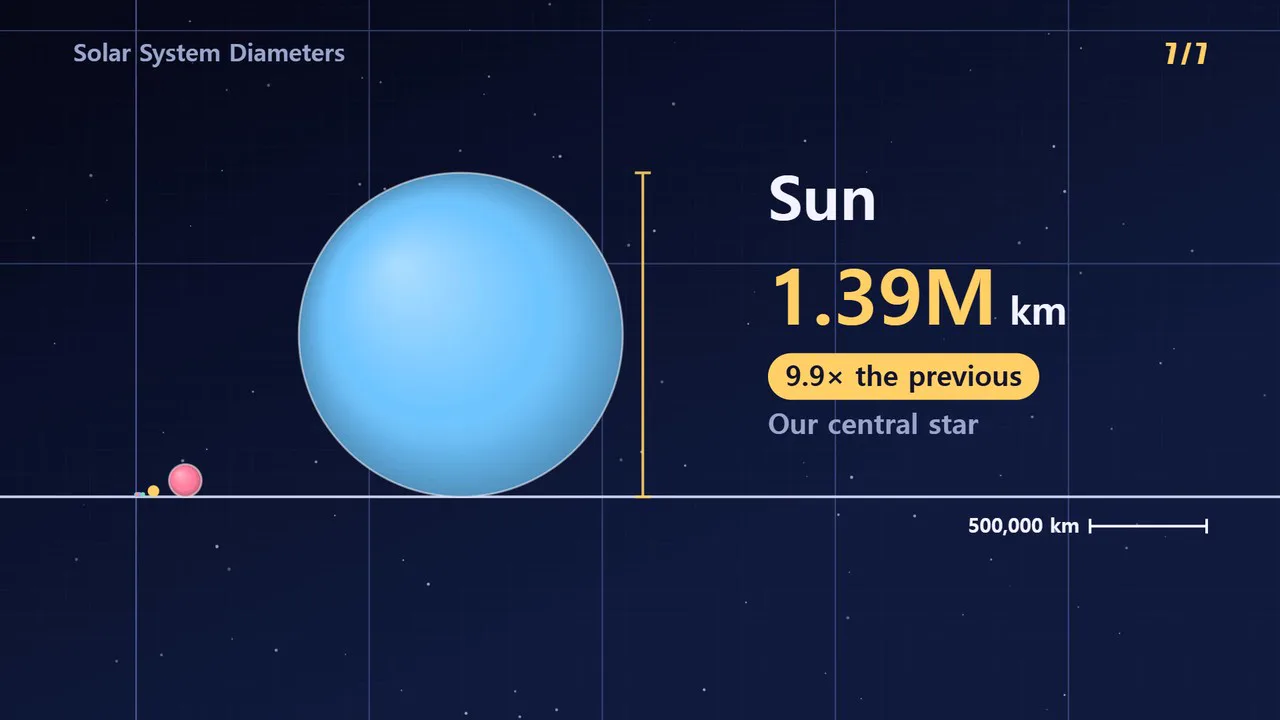
This comparison video draws everything to the same scale. Each time a new item appears, the camera pulls back, so whatever just filled the screen shrinks on the left until it becomes a dot. Because the AI doesn't write scene code, it's fast and the screen always stays clean.
- True scale — No log axis. Something 10 times bigger is 10 times bigger on screen
- Pull-back camera — The camera pulls back until the current item fills about half the screen height, with earlier items staying on the left
- Grid and scale bar — As the camera pulls back, the ticks update so you can always see what one square represents
- Name · value · times larger — Each item shows its value and unit, plus how many times larger it is than the previous one. Large numbers are abbreviated
- Final table — Together with the closing line, one screen shows each name, value, and how many times larger it is than the smallest item
- Your list, as is — Enter "name | value" and it keeps your names and values unchanged, sorts them by value, and only writes the script
- Circles and bars — A circle's diameter, or a bar's height, is proportional to the value
- Three themes — Space · Light paper · Colorful. Landscape and portrait
- English videos — Choose English in the run window to create the script, voice, and on-screen text in English. Large numbers use M · B · T, and "×" is used for multiples
- The result is placed on the timeline as separate size-comparison video, narration, and subtitle tracks, so you can edit right away
Options when running
- What to compare — e.g. sizes of the planets in the solar system
- Your list — Optional. One "name | value" per line, up to 12. Formats like 12,742 · 1.2억 · 3만 5천 also work
- Unit — km, m, won …
- Shape — Circle / Bar
- Tone — Informative / Entertaining / Calm commentary
- On-screen title · Screen color
- Length — 60 seconds by default
Good to know
- If you don't enter a list, the AI picks the items and values. Values written by AI may be wrong. Check the values yourself before publishing, or put verified values into your own list.
- Values in your list are never changed. On screen they're shortened to three significant figures (12,742 → 1.27만).
- Values of 0 or less and lines that can't be read are skipped.
- A circle's diameter is proportional to the value — not its area or volume.
- When the differences are huge, earlier items appear only as dots. That difference is exactly what this video is meant to show.
- Photos, logos, and realistic shape images are not included.
Requirements
- ssokEdit 1.3.2 or later (Windows)
- Microsoft Edge (included with Windows) — used to capture the frames