 ssok Launcher
 ssokEdit
 ssokIQ
 ssokCLI
 ssokMusic Free
 ssok Keyword Extractor
 ssokPlayer
 ssokKit
 SsokRecorder
Timeline Production Pack (Free)
A ssokEdit production pack that turns a one-line topic or your own timeline into a video that moves along a time axis, highlighting each event in turn
Free
1-year license from the payment date · 1 PC(s) · Seller: Strokehub Co., Ltd.
Signed-in members can download this for free. Import the pack file (.ssokpack) in ssokEdit → Pack Manager → "Import pack file", or install it directly from Pack Manager → Market packs.
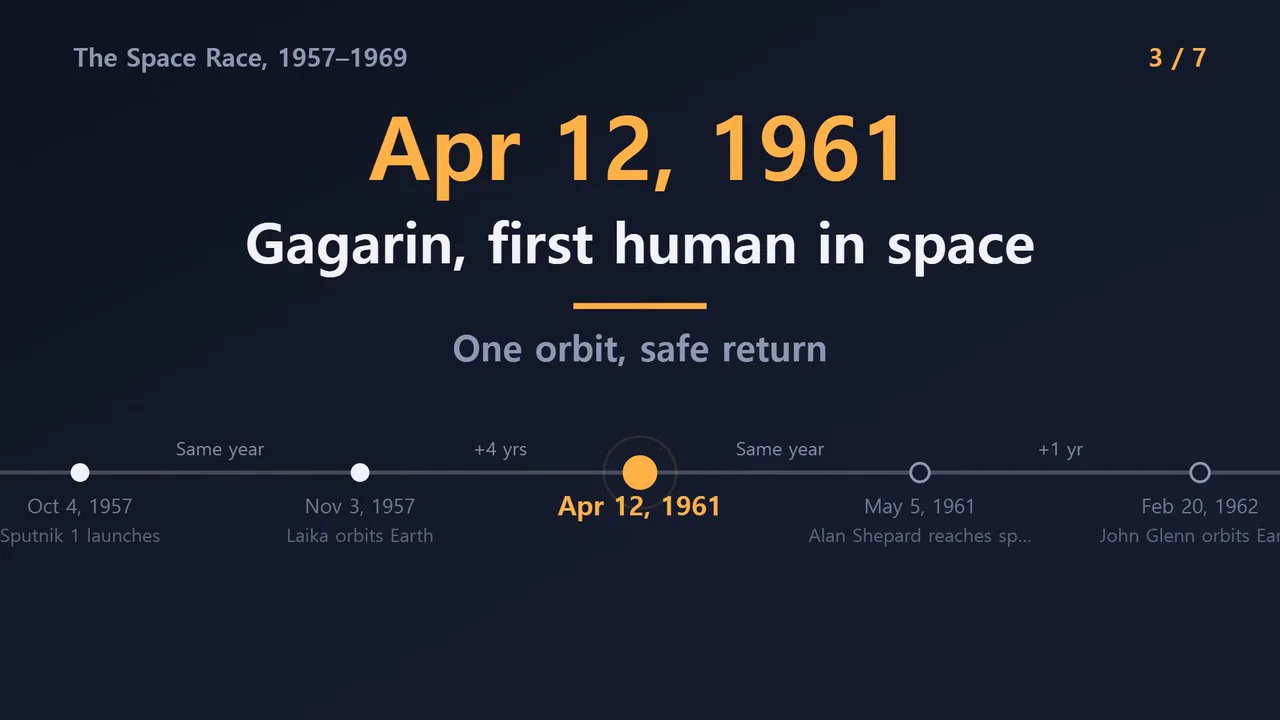
Enter a single-line topic and get a timeline video where the camera glides along a time axis, highlighting events one by one.
Great for videos that show "what happened when": history, the story of a company or shop, a person's life, the evolution of a technology. The AI doesn't write scene code, so it's fast and the visuals always look clean.
- Moving time axis — The axis slides from event to event, and the current event's dot lights up
- Event cards — The date appears large, followed by the name and a short line
- Years between — Elapsed time like "19 years later" is shown between events
- Full timeline at the end — All events appear on one screen along with a closing line
- Your timeline, as is — Enter "date | event" one per line, and only the script is written; dates and names stay unchanged
- Three themes — Dark · Old Paper · Mint. Landscape and portrait
- English videos — Choose English in the run window to make the script, voice and on-screen text in English. Years between are shown as "+19 yrs", and the same year as "Same year"
- The result lands on the timeline as separate timeline video, narration and subtitle tracks, so you can edit right away
How to enter your timeline
2015년 | 창업
2018년 3월 | 첫 매장
2021년 | 온라인 판매 시작
2024년 | 누적 주문 10만 건
What you choose when running
- Whose history — e.g., The journey of the telephone
- Your timeline — Optional. Up to 14 entries in chronological order
- Screen title · Screen color
- Length — 60 seconds by default
Good to know
- Dates and events written by the AI may be wrong. Please check before publishing. For timelines that must be accurate, it's safer to enter them yourself in "Your timeline".
- Spacing between events is the same on screen. Elapsed years are shown only as text.
- Photos, portraits and logos are not included.
Requirements
- ssokEdit 1.3.2 or later (Windows)
- Microsoft Edge (included with Windows) — used to capture the screen