 ssok Launcher
 ssokEdit
 ssokIQ
 ssokCLI
 ssokMusic Free
 ssok Keyword Extractor
 ssokPlayer
 ssokKit
 SsokRecorder
Globe Creation Pack (Free)
A ssokEdit creation pack that turns a one-line topic into an explainer video on a spinning 3D globe, highlighting countries and linking cities with arcs
Free
1-year license from the payment date · 1 PC(s) · Seller: Strokehub Co., Ltd.
Signed-in members can download this for free. Import the pack file (.ssokpack) in ssokEdit → Pack Manager → "Import pack file", or install it directly from Pack Manager → Market packs.
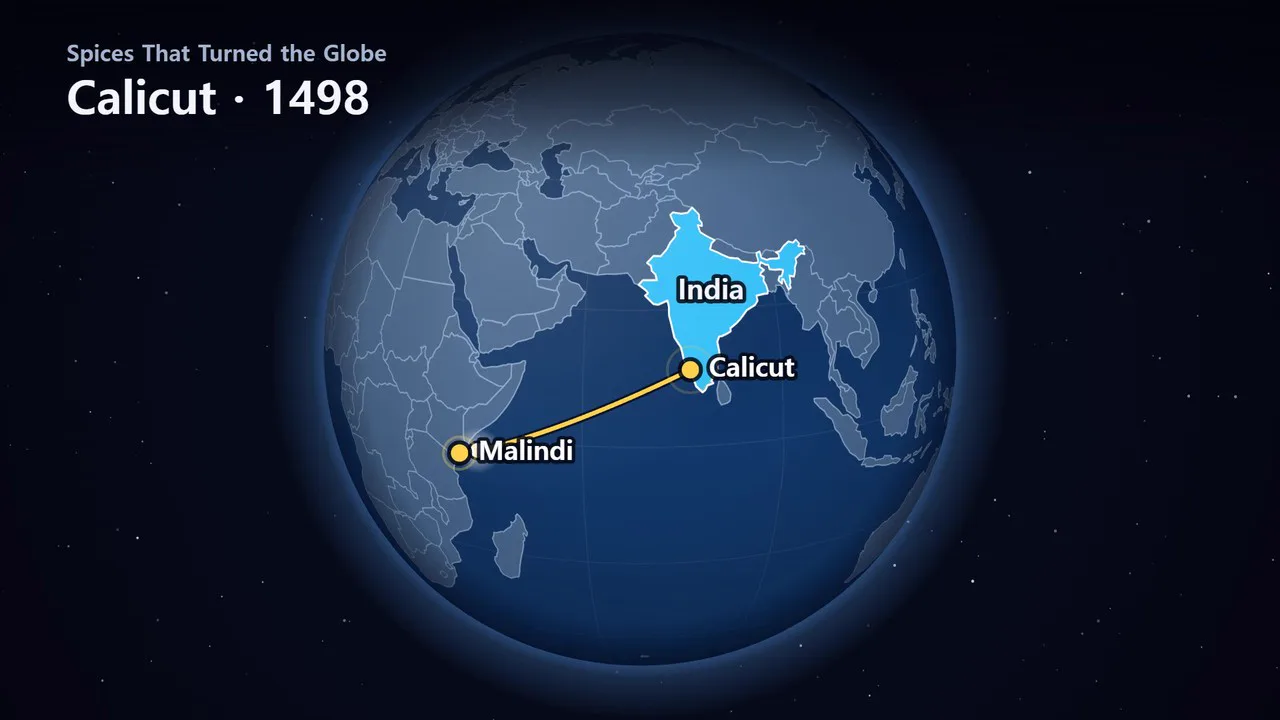
Enter a single topic line and get an explainer video where a 3D globe turns to each place in the story, highlights countries, drops pins on cities, and connects two places with arcs.
As the narration says "from where to where," the globe rotates to face that spot. Borders are drawn from real map data, and since the AI doesn't write scene code, rendering is fast and the look stays consistent every time. This is the 3D companion to the flat-map "Map Explainer" production pack.
- Rotating globe — When the scene changes, the globe turns the shorter way over about 1.2 seconds, and zooms in a little when the area of interest is small. It keeps rotating slowly while it lingers
- Country highlights — Countries mentioned are filled with color and labeled with their names. Four colors separate groups
- Pins and arcs — Pins mark cities, and curves rising above the globe connect two places, followed by a glowing head
- Three themes — Space · Earth at Night · Paper Globe (light paper tones)
- Landscape · Portrait — Choose 16:9 or 9:16 Shorts
- The result lands on the timeline with the globe video, narration, and subtitles as separate tracks, so you can edit right away
What you choose when running
- Story to explain with the globe — e.g., sea routes of the Age of Discovery, the longest direct flights from Incheon
- On-screen title — optional
- Globe style — Space / Earth at Night / Paper Globe
- Length — 60 seconds by default
Good to know
- 177 countries are included. Provinces/states within a country, small islands, and city-states (Singapore, Malta, etc.) aren't in the data, so they aren't drawn and appear only as pins.
- Borders are drawn exactly as they appear in the map data (Natural Earth 1:110m). Ocean names are not shown.
- City positions (longitude · latitude) and story content are written by AI and may be wrong. Please check before publishing.
- The light dots in "Earth at Night" are decorative for atmosphere. They are not real night-light or population data.
- Only half the globe is visible at once. Two places on opposite sides of the Earth can't appear on screen together.
- Because the data is coarse, the globe doesn't zoom in very close. Small countries appear small on screen.
- If you select English as the language in the run window, an English video is made — narration, subtitles, on-screen text, and country names on the globe are all in English (country names use Natural Earth's English names, with abbreviations spelled out).
Requirements
- ssokEdit 1.3.2 or later (Windows)
- Microsoft Edge (included with Windows) — used to capture the globe
Credits
Map data is Natural Earth (public domain) as packaged by world-atlas (github.com/topojson/world-atlas, ISC © Michael Bostock). You don't need to add attribution to videos made with this pack.