 ssok Launcher
 ssokEdit
 ssokIQ
 ssokCLI
 ssokMusic Free
 ssok Keyword Extractor
 ssokPlayer
 ssokKit
 SsokRecorder
ssokEdit Production Packs
Everyday Comedy Shorts Production Pack (Free)
Everyday comedy & reaction Shorts — natural conversational narration, multiple photos per sentence, and different photo motion for every scene
Free
1-year license from the payment date · 1 PC(s) · Seller: Strokehub Co., Ltd.
Signed-in members can download this for free. Import the pack file (.ssokpack) in ssokEdit → Pack Manager → "Import pack file", or install it directly from Pack Manager → Market packs.
Everyday Comedy Shorts Production Pack (Free)
Just write one line about something absurd that happened in your daily life, and it creates a 25–40 second vertical Short that tells the story like a friend chatting next to you.
What you get
- Natural conversational narration — Sentences aren't cut just because the photo changes. One paragraph flows across 2–4 photos, so it doesn't sound like a slideshow of card news.
- Photo timing follows the speech — Instead of chopping into equal 5- or 10-second slots, photos switch at the point in the script where they appear, so each scene has its own length.
- Different motion for each photo — The AI picks slow zoom, pan, up/down, slight shake, or punch zoom to match each scene, and adjusts intensity too: very gentle for explanatory scenes, strong for punchlines. The same motion never repeats back to back, and each scene pauses for 0.3 seconds before moving on, creating rhythm.
- Shorts-style layout — The title stays fixed at the top, and the subtitles at the bottom show only short key phrases and punchlines. Faces and key objects are kept centered.
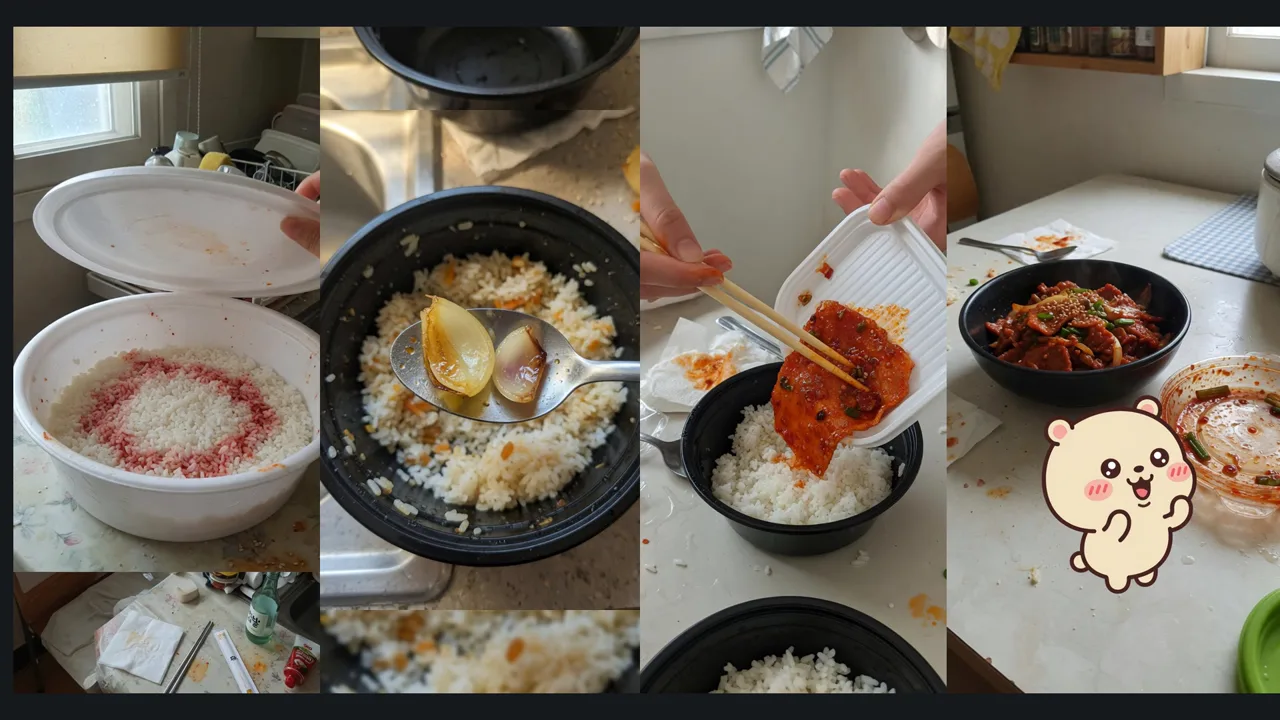
- Reaction character — The default is a cream-colored bear, "Gyugom." It only appears at moments like disbelief, disappointment, or a twist. Enter a name and appearance in the "Reaction Character" field to use your own character, or leave it blank to create without one.
- 16:9 also supported — Choose 16:9 landscape in the production window to create in long-form ratio (9:16 supports up to 3 minutes).
How to use
- ssokEdit → Production Pack Manager → Get it from the Market Production Packs
- Create with Production Pack → "Everyday Comedy Shorts" → Enter a one-line topic (e.g., The day my delivered spicy pork rice bowl had no pork)
- Once it's done, you can edit photo length, motion, and subtitles right on the timeline.
Requirements
- ssokEdit 0.7.11 or later
- Script: Brain AI in AI Settings (Claude, Codex, etc.)
- Photos: AI Settings → Image Generation (Gemini, Grok, Codex)
- Narration: Fish Audio or free Edge voices