 ssok Launcher
 ssokEdit
 ssokIQ
 ssokCLI
 ssokMusic Free
 ssok Keyword Extractor
 ssokPlayer
 ssokKit
 SsokRecorder
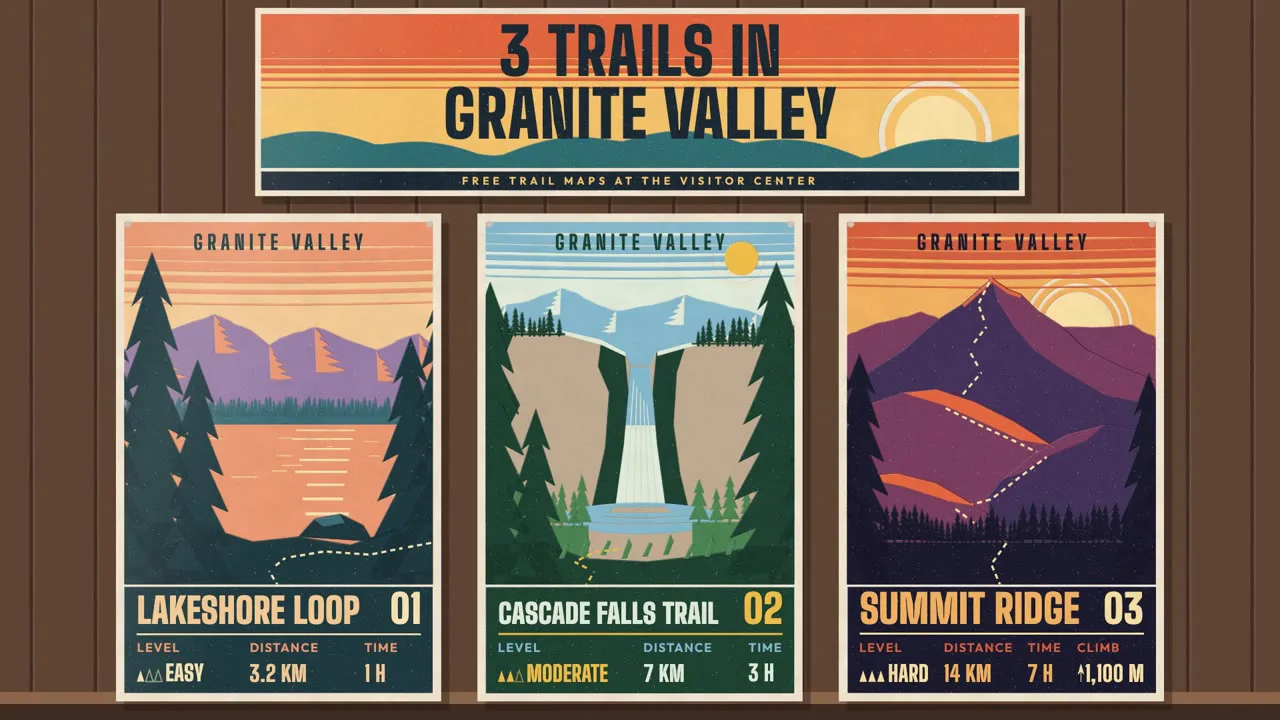
Silkscreen Travel Poster Pack (Free)
A ssokEdit production pack that turns a one-line topic into a video where a travel or event poster is silkscreen-printed one color at a time (art style based on LemoLab Lemo-Opuscar)
Free
1-year license from the payment date · 1 PC(s) · Seller: Strokehub Co., Ltd.
Signed-in members can download this for free. Import the pack file (.ssokpack) in ssokEdit → Pack Manager → "Import pack file", or install it directly from Pack Manager → Market packs.
A video where opaque inks are pulled onto paper one color at a time with a squeegee on a workbench, building up a travel poster, with details like name, distance and time printed at the very end. Great for travel destinations, walking trails and event announcements.
Like the 1930s–40s national park silkscreen posters, opaque inks are squeegeed onto paper on a workbench one color at a time, layering the image. Each poster uses 4–6 inks, stepped color bands instead of gradients, and thin paper-colored gaps where the screens are misaligned by 1–3 pixels. Printing goes sky → distant mountains → middle ground → nearby silhouettes, and the information (name · distance · time · date) is printed last in a dark info band at the bottom. The order the information is printed is the order it's read.
- AI draws every scene directly in code — no photos needed.
- The result lands on the timeline with scene video, narration and subtitles as separate tracks, so you can edit right away.
Great topics
Travel destinations · walking trails · hiking route guides · festivals · event posters · seasonal opening hours · product color showcases · local landmark series
What you choose when running it
- Topic — one line
- Length — 90 seconds by default (30 seconds to several minutes)
- Narration voice and subtitle size can be changed in the pack settings
How long it takes
AI draws each scene in code one at a time, so it takes about 6–10 minutes for a 30-second video and 20–30 minutes for 90 seconds. You can keep editing other things in the meantime.
How to get it
- Log in to ssok.ai and click "Get Pack (Free)" above.
- In ssokEdit, go to Pack Manager → Market Packs and Install it directly, or add the downloaded
.ssokpackvia "Import Pack File". - On the start screen, choose "Create with Pack", select this pack and enter your topic.
Requirements
- ssokEdit 0.7.1 or later (Windows)
- Claude connected (install and log in from AI Settings) — the original style was built for Claude, so Claude does the drawing
- Microsoft Edge (included with Windows) — used to capture scenes
Credits
This style is adapted for the ssokEdit engine from LemoLab's open-source Lemo-Opuscar "Silkscreen Travel Poster" (github.com/lemomo-ai/lemo-opuscar, code MIT · art style CC BY 4.0). The cover image is a scene from LemoLab's original demo video (CC BY 4.0, resized only). Videos you make with this pack belong to you, and no attribution is required.