 ssok Launcher
 ssokEdit
 ssokIQ
 ssokCLI
 ssokMusic Free
 ssok Keyword Extractor
 ssokPlayer
 ssokKit
 SsokRecorder
1920s Silent Film Production Pack (Free)
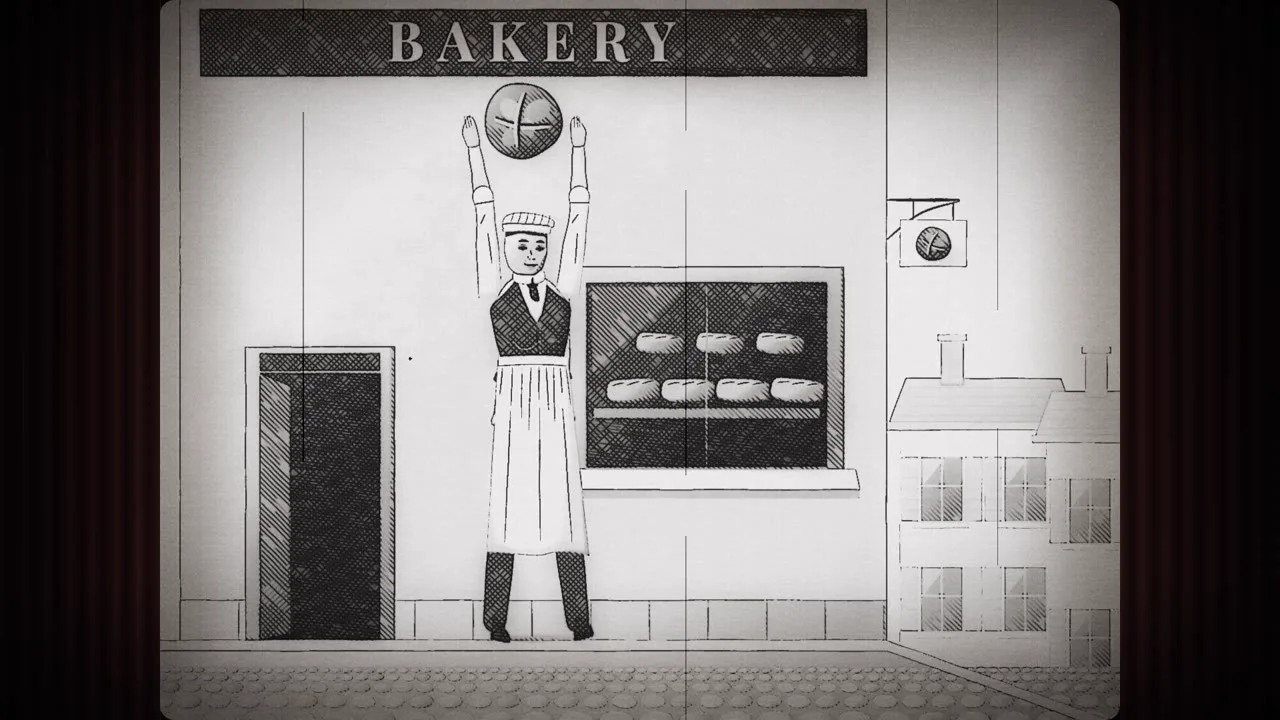
A ssokEdit production pack that turns a one-line topic into a 1920s-style silent film with ink drawings, worn film texture, and ornate title cards (art style based on LemoLab Lemo-Opuscar)
Free
1-year license from the payment date · 1 PC(s) · Seller: Strokehub Co., Ltd.
Signed-in members can download this for free. Import the pack file (.ssokpack) in ssokEdit → Pack Manager → "Import pack file", or install it directly from Pack Manager → Market packs.
Ink-line and silver-wash illustrations screened on worn film, like a 1920s silent movie. A 4:3 picture framed by theater curtains, flicker and scratches, and ornate title cards instead of dialogue. Great for comedy, retro branding, and old tales.
This is a silent film as screened in a 1920s theater, recreated in code. A 4:3 film window sits in the middle of a 16:9 frame, flanked by spotlit velvet curtains. The artwork is engraving-style illustration drawn with ink lines, silver washes, and 45° hatching, printed on silver film that flickers, jitters, gets scratched, and burns at the edges. No one speaks — the story is told through gestures in wide shots and title cards (intertitles) with decorative borders. It isn't noir, it isn't modern animation with a sepia filter, and it doesn't imitate any particular comedian.
- No photos — the AI draws every scene directly in code.
- The result lands on the timeline with scene video, narration, and subtitles on separate tracks, so you can edit right away.
Good topics
Old tales · inventions and trades from history · how a food is made · principles explained through chain reactions · comedies where a small mistake turns into chaos · retro branding · newsreel-style news roundups
What you choose when running it
- Topic — one line
- Length — 90 seconds by default (30 seconds to several minutes)
- Narration voice and subtitle size can be changed in the pack settings
How long it takes
The AI draws each scene in code one at a time, so it takes about 6–10 minutes for a 30-second video and 20–30 minutes for 90 seconds. You can keep editing other things in the meantime.
How to get it
- Log in to ssok.ai and click "Get Production Pack (Free)" above.
- In ssokEdit, go to Production Pack Manager → Market Packs and click Install, or add the downloaded
.ssokpackvia "Import Pack File". - On the start screen, choose "Create with Production Pack", select this pack, and enter your topic.
Requirements
- ssokEdit 0.7.1 or later (Windows)
- Claude connection (install and log in under AI Settings) — the original style was built for Claude, so it draws with Claude
- Microsoft Edge (included with Windows) — used to capture the scenes
Credits
This art style is an adaptation of LemoLab's open-source Lemo-Opuscar "1920s Silent Film" (github.com/lemomo-ai/lemo-opuscar, code MIT · style CC BY 4.0), modified for the ssokEdit engine. The cover image is a scene from LemoLab's original demo video (CC BY 4.0, resized only). Videos you make with this pack belong to you, and no attribution is required.