 ssok Launcher
 ssokEdit
 ssokIQ
 ssokCLI
 ssokMusic Free
 ssok Keyword Extractor
 ssokPlayer
 ssokKit
 SsokRecorder
Satellite Briefing Production Pack (Free)
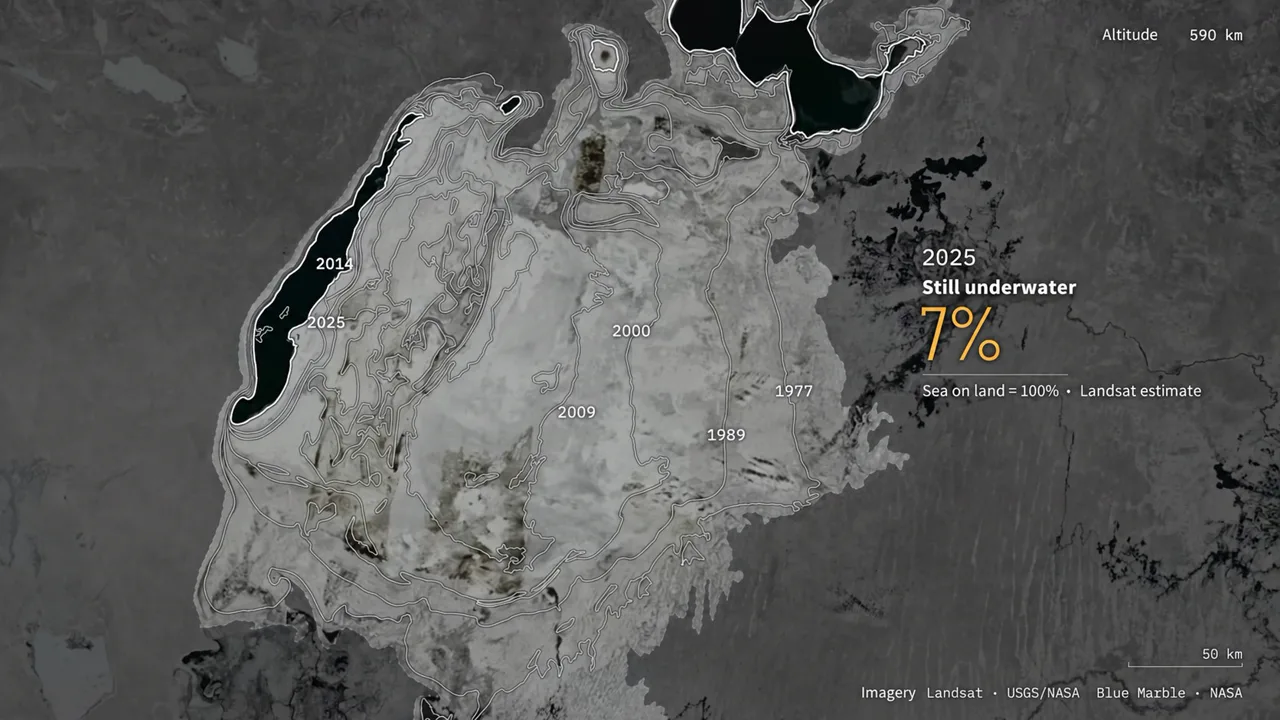
A ssokEdit production pack for satellite analysis videos that trace how a place changes, using thin measurement lines and a single readout over a top-down view of the ground (art style based on LemoLab Lemo-Opuscar)
Free
1-year license from the payment date · 1 PC(s) · Seller: Strokehub Co., Ltd.
Signed-in members can download this for free. Import the pack file (.ssokpack) in ssokEdit → Pack Manager → "Import pack file", or install it directly from Pack Manager → Market packs.
A single zoom from high in the sky down to the ground. Over terrain turned analyst gray, thin white measurement lines, targeting marks, distance lines and a single readout appear, and time passes in one fixed spot. A satellite analysis style that suits climate, geography and news explainers.
The video is built from one continuous zoom descending from high above to a single location, plus the thin white lines an analyst draws over it. The ground first appears in natural color, then turns gray in the analysis phase as hairline white strokes draw targeting marks, outlines and distance lines. Only one readout per screen, in amber. With the camera locked on one spot, a scan line sweeps across like a passing satellite to reveal another year, and color returns only where the story changes. You can also use a scene where an old map tears away to reveal the real land.
- AI draws every scene directly in code, with no photos.
- Results land on the timeline with scene video, narration and subtitles as separate tracks, so you can edit them right away.
Good topics
Changes in lakes, coastlines and glaciers · land reclamation · urban sprawl · the extent of wildfire or flood damage · distance between two points · plans vs. reality
What you choose when running
- Topic — one line
- Length — 90 seconds by default (30 seconds to several minutes)
- Narration voice and subtitle size can be changed in the production pack settings
How long it takes
AI draws each scene in code one at a time, so it takes about 6–10 minutes for a 30-second video and 20–30 minutes for 90 seconds. You can keep editing other things in the meantime.
How to get it
- Log in to ssok.ai and click "Get Production Pack (Free)" above.
- In ssokEdit, go to Production Pack Manager → Market Packs and Install directly, or add the downloaded
.ssokpackvia "Import Production Pack File". - On the start screen, choose "Create with Production Pack", select this pack and enter your topic.
Requirements
- ssokEdit 0.7.1 or later (Windows)
- Claude connection (install and log in under AI Settings) — the original style was designed for Claude, so Claude does the drawing
- Microsoft Edge (included with Windows) — used to capture scenes
Credits
This style is an adaptation of LemoLab's open-source Lemo-Opuscar "Satellite Briefing" (github.com/lemomo-ai/lemo-opuscar, code MIT · style CC BY 4.0), modified for the ssokEdit engine. The cover image is a scene from LemoLab's original demo video (CC BY 4.0, resized only). Videos you make with this pack belong to you, and no attribution is required.