 ssok Launcher
 ssokEdit
 ssokIQ
 ssokCLI
 ssokMusic Free
 ssok Keyword Extractor
 ssokPlayer
 ssokKit
 SsokRecorder
Isometric Infographic Production Pack (Free)
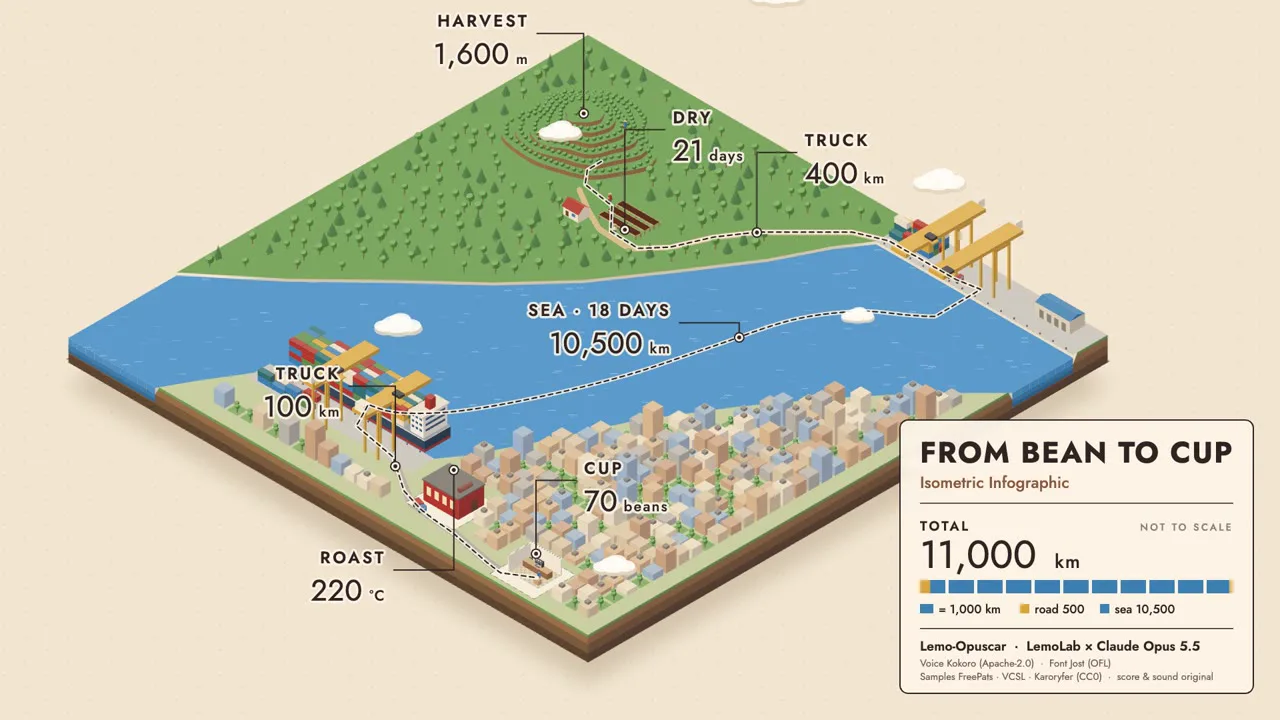
A ssokEdit production pack for explainer videos that show a process through paths, cutaways and icon-based numbers on an isometric diorama (art style based on LemoLab Lemo-Opuscar)
Free
1-year license from the payment date · 1 PC(s) · Seller: Strokehub Co., Ltd.
Signed-in members can download this for free. Import the pack file (.ssokpack) in ssokEdit → Pack Manager → "Import pack file", or install it directly from Pack Manager → Market packs.
An explainer video where a single subject travels from stop to stop across a floating isometric diorama, with cutaways and icon-based numbers revealing the process. Great for processes, supply chains and annual reports.
The whole process unfolds on a single isometric diorama floating on a cream background. Flat color blocks drawn on 30° axes with no perspective are shaded in just three tones per face (light top, medium left, dark right), while infographic devices such as leader lines, label pins, dotted paths, cutaway hatching and tracking rings live right inside the illustration. Numbers aren't just spoken — they're "drawn" by lining up repeated icons (isotype).
- No photos needed — AI draws every scene directly in code.
- The result lands on the timeline with scene video, narration and subtitles on separate tracks, so you can edit right away.
Good topics
Process explainers (raw material → product) · supply chains · urban infrastructure (water, power, waste) · factories · annual reports · the journey of a single object
What you choose when running it
- Topic — one line
- Length — 90 seconds by default (30 seconds to several minutes)
- Narration voice and subtitle size can be changed in the production pack settings
How long it takes
The AI draws each scene in code one at a time, so it takes about 6–10 minutes for a 30-second video and 20–30 minutes for 90 seconds. You can keep editing other things while it works.
How to get it
- Log in to ssok.ai and click 「Get Production Pack (Free)」 above.
- In ssokEdit, go to Production Pack Manager → Market Packs and click Install, or add the downloaded
.ssokpackvia 「Import Production Pack File」. - On the start screen, choose 「Create with Production Pack」, select this pack and enter your topic.
Requirements
- ssokEdit 0.7.1 or later (Windows)
- Claude connection (install and log in under AI settings) — the original style was built for Claude, so scenes are drawn with Claude
- Microsoft Edge (included with Windows) — used to capture scenes
Credits
This art style is adapted for the ssokEdit engine from LemoLab's open-source Lemo-Opuscar 「Isometric Infographic」 (github.com/lemomo-ai/lemo-opuscar, code MIT · style CC BY 4.0). The cover image is a scene from LemoLab's original demo video (CC BY 4.0, resized only). Videos you make with this pack are yours, and no attribution is required.