 ssok Launcher
 ssokEdit
 ssokIQ
 ssokCLI
 ssokMusic Free
 ssok Keyword Extractor
 ssokPlayer
 ssokKit
 SsokRecorder
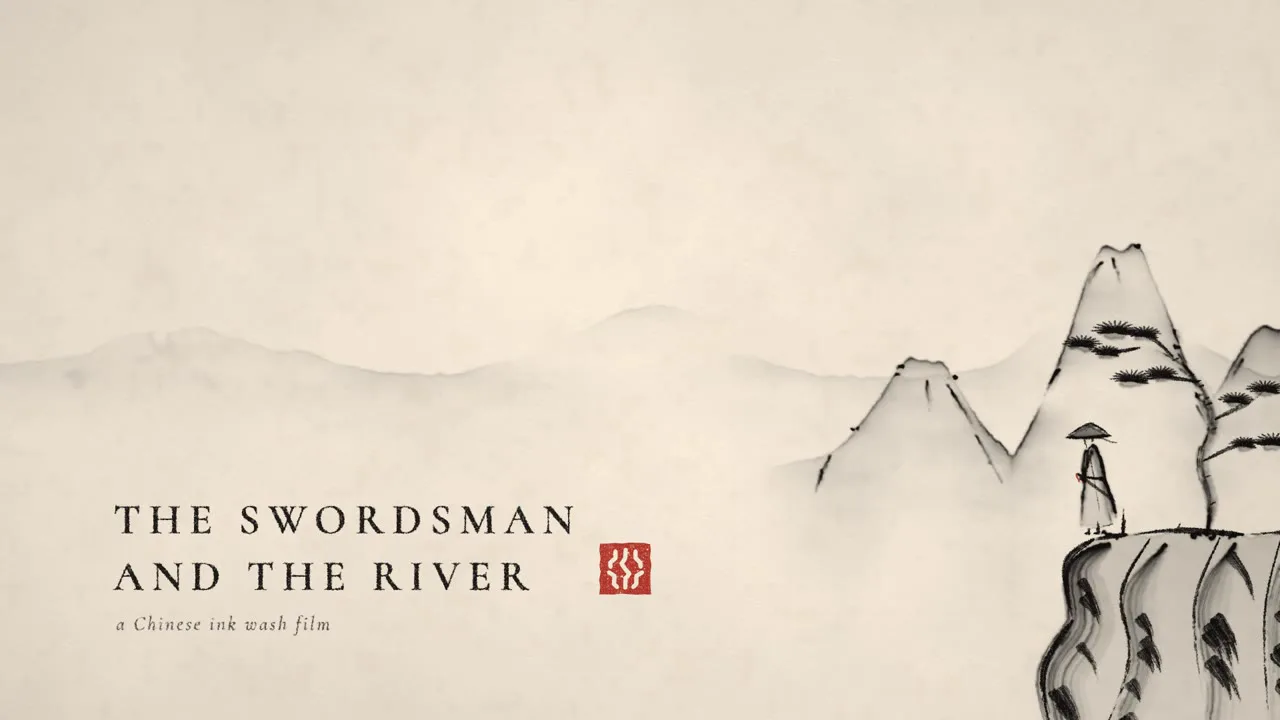
Ink Wash Scroll Production Pack (Free)
A ssokEdit production pack for ink wash painting videos where ink bleeds into rice paper, dry brush strokes split, and landscapes and wanderers appear stroke by stroke (art style based on LemoLab Lemo-Opuscar)
Free
1-year license from the payment date · 1 PC(s) · Seller: Strokehub Co., Ltd.
Signed-in members can download this for free. Import the pack file (.ssokpack) in ssokEdit → Pack Manager → "Import pack file", or install it directly from Pack Manager → Market packs.
An ink wash painting video where ink bleeds across rice paper, dry brushes split into streaks, and mountains, water and a wanderer appear one stroke at a time. Perfect for stories about landscapes, history, poetry and traditional culture.
This video shows a freehand (xieyi) ink wash painting being drawn on rice paper before your eyes and unrolling like a scroll. The palette is just warm rice paper, five tones of ink (from deepest black to the palest wash) and a single red seal. There are no outlines — the dark edge of an ink-loaded stroke is the form itself. Wet ink bleeds into the paper, while quick, dry strokes split into bristle marks that let the paper show through (flying white). Most of the frame is empty paper (negative space) — water, sky, mist, silence. Objects are painted into view, never cut and pasted.
- AI draws every scene directly in code — no photos needed.
- The result lands on the timeline with scene video, narration and subtitles on separate tracks, ready to edit right away.
Great for
Landscapes and scenic spots (Geumgangsan, Seoraksan, rivers) · history and stories of people long ago · classical poetry and songs · calligraphy and scholar culture · the seasons · stories that grow from a single stroke (a city that grew from its first street, a product born from a single line)
What you choose when running it
- Topic — one line
- Length — 90 seconds by default (30 seconds to several minutes)
- Narration voice and subtitle size can be changed in the pack settings
How long it takes
AI draws each scene in code one at a time, so it takes 6–10 minutes for a 30-second video and about 20–30 minutes for 90 seconds. You can keep editing other things while it works.
How to get it
- Log in to ssok.ai and click 「Get Production Pack (Free)」 above.
- In ssokEdit, go to Production Pack Manager → Market Packs and install it directly, or add the downloaded
.ssokpackvia 「Import Production Pack File」. - On the start screen, choose 「Create with Production Pack」, pick this pack and enter your topic.
Requirements
- ssokEdit 0.7.1 or later (Windows)
- Claude connection (install and log in from AI Settings) — the original style was built for Claude, so Claude does the drawing
- Microsoft Edge (included with Windows) — used to capture the scenes
Credits
This art style is adapted for the ssokEdit engine from LemoLab's open-source Lemo-Opuscar 「Chinese Ink Wash」 (github.com/lemomo-ai/lemo-opuscar, code MIT · style CC BY 4.0). The cover image is a frame from LemoLab's original demo video (CC BY 4.0, resized only). Videos you make with this pack belong to you, and no attribution is required.