 ssok Launcher
 ssokEdit
 ssokIQ
 ssokCLI
 ssokMusic Free
 ssok Keyword Extractor
 ssokPlayer
 ssokKit
 SsokRecorder
Palette Knife Oil Painting Pack (Free)
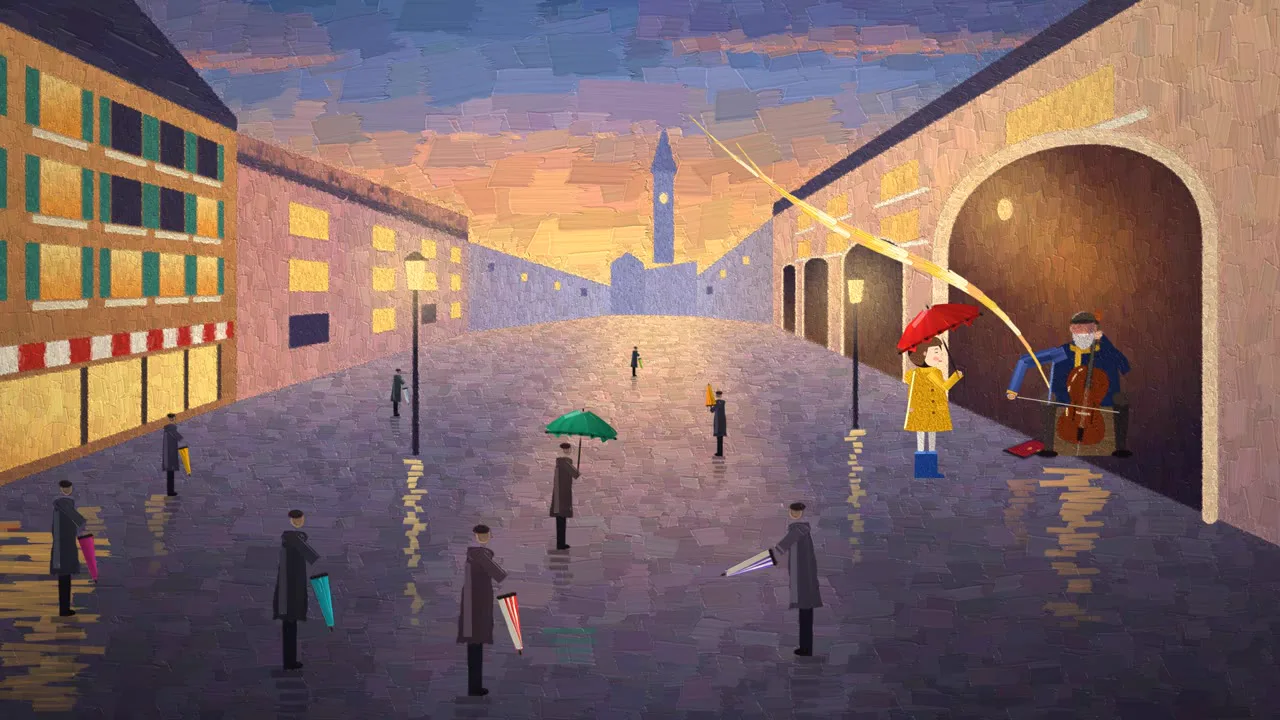
A ssokEdit production pack that turns a one-line topic into a painterly video: palette knife oil strokes appear one by one as color spreads through a gray world (art style based on LemoLab Lemo-Opuscar)
Free
1-year license from the payment date · 1 PC(s) · Seller: Strokehub Co., Ltd.
Signed-in members can download this for free. Import the pack file (.ssokpack) in ssokEdit → Pack Manager → "Import pack file", or install it directly from Pack Manager → Market packs.
A painterly video where thick oil paint, laid on with a palette knife, appears stroke by stroke and raking light brings out the texture of the paint. Ideal for stories of color spreading through a gray world, art, and emotional commentary.
This is a moving oil painting made with thick palette knife work. Large areas like skies and walls are painted with broad knife marks, while only the subject and edges get small strokes. Raking light catches the height of the paint, revealing ridges pressed by the knife and lifted edges. The image stays simple and clear enough to read even as a thumbnail, yet up close it's all lumps of paint. Color itself can become the event: a single color in a gray world, or gray turning into color one knife stroke at a time.
- No photos needed: AI draws every scene directly in code.
- Your result lands on the timeline with scene video, narration, and subtitles on separate tracks, so you can edit right away.
Good topics
Seasons · weather changes · art and culture · music stories · city and street scenes · stories of recovery and change · emotional ads
What you choose when running it
- Topic — one line
- Length — 90 seconds by default (30 seconds to several minutes)
- Narration voice and subtitle size can be changed in the pack settings
How long it takes
The AI draws each scene in code one at a time, so a 30-second video takes 6–10 minutes, and a 90-second one about 20–30 minutes. You can keep editing other things in the meantime.
How to get it
- Log in to ssok.ai and click "Get Production Pack (Free)" above.
- In ssokEdit, go to Production Packs → Market Packs and click Install, or add the downloaded
.ssokpackvia "Import Pack File". - On the start screen, choose "Create with Production Pack", select this pack, and enter your topic.
Requirements
- ssokEdit 0.7.1 or later (Windows)
- Claude connection (install and log in under AI settings) — the original style was built for Claude, so Claude does the drawing
- Microsoft Edge (included with Windows) — used to capture the scenes
Credits
This art style is adapted for the ssokEdit engine from LemoLab's open-source Lemo-Opuscar "Impasto Oil Painting" (github.com/lemomo-ai/lemo-opuscar, code MIT · style CC BY 4.0). The cover image is a frame from LemoLab's original demo video (CC BY 4.0, resized only). Videos you make with this pack are yours, and no attribution is required.