 ssok Launcher
 ssokEdit
 ssokIQ
 ssokCLI
 ssokMusic Free
 ssok Keyword Extractor
 ssokPlayer
 ssokKit
 SsokRecorder
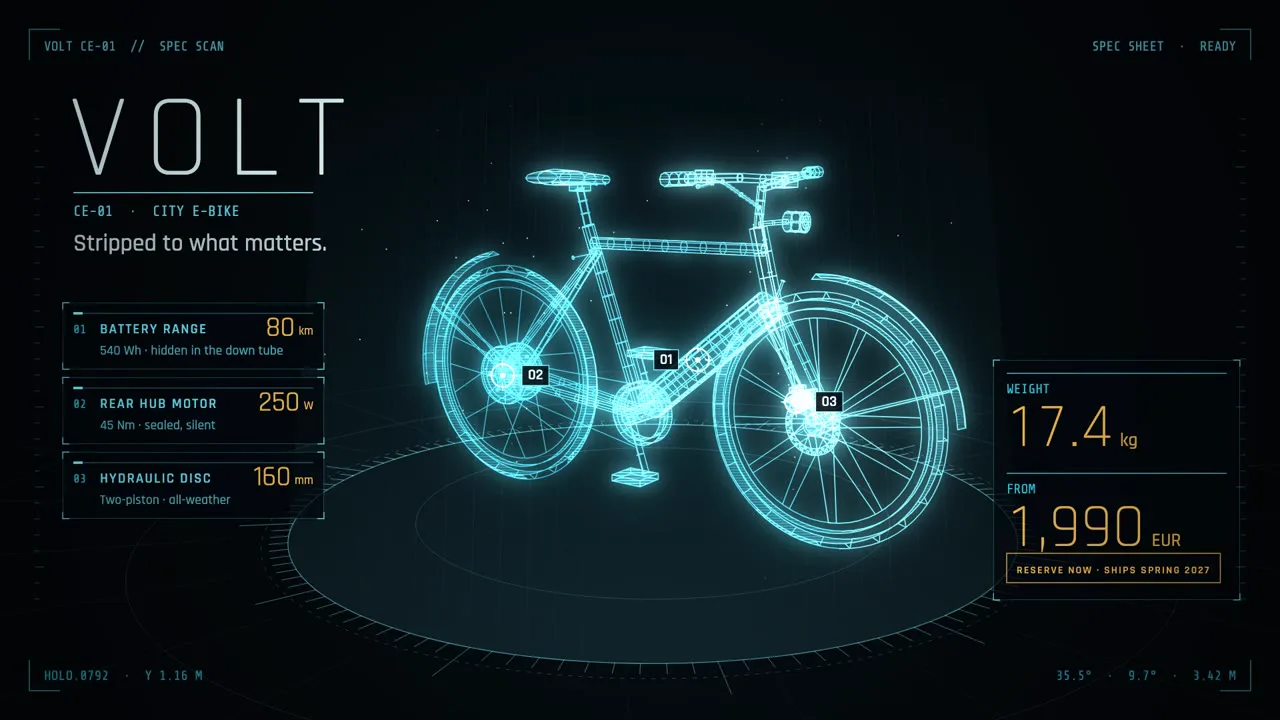
Hologram HUD Creation Pack (Free)
A ssokEdit creation pack for sci-fi hologram videos that scan objects into glowing wireframe models and call out part specs with targeting boxes, leader lines and rolling numbers (art style based on LemoLab Lemo-Opuscar)
Free
1-year license from the payment date · 1 PC(s) · Seller: Strokehub Co., Ltd.
Signed-in members can download this for free. Import the pack file (.ssokpack) in ssokEdit → Pack Manager → "Import pack file", or install it directly from Pack Manager → Market packs.
Sci-fi hologram videos where an object is scanned into a glowing wireframe model, a targeting box locks onto each part and pulls it apart, and numbers roll out of noise to land on real values. Great for product specs and explaining mechanical structures.
A single object is scanned as a glowing wireframe model on a round projection pedestal against a near-black stage. No real renders or photos are used. A scan plane rises from bottom to top, building up the model; when a targeting box locks onto a part, that part slides out slightly along its assembly axis, a leader line extends, and the number in the card rolls from noise characters to its real value. Only confirmed values get the warm accent color. The screen always has three layers — a dot grid in the back, the model and pedestal in the middle, and the HUD in front (corner brackets, rulers, status text).
- AI draws every scene directly in code, with no photos.
- The result lands on the timeline with scene video, narration and subtitles on separate tracks, so you can edit right away.
Good topics
Product spec intros · machine, vehicle and appliance teardowns · what each part does · new product comparisons (old → new) · assembly steps · spaceships · robots · architectural models
What you choose when running it
- Topic — one line
- Length — 90 seconds by default (30 seconds to a few minutes)
- Narration voice and subtitle size can be changed in the creation pack settings
How long it takes
AI draws each scene in code one at a time, so it takes about 6–10 minutes for a 30-second video, or 20–30 minutes for 90 seconds. You can keep editing other things while it works.
How to get it
- Log in to ssok.ai and click "Get Creation Pack (Free)" above.
- In ssokEdit, go to Creation Pack Manager → Market Packs and click Install, or add the downloaded
.ssokpackvia "Import Creation Pack File". - On the start screen, choose "Create with Creation Pack", pick this pack and enter your topic.
Requirements
- ssokEdit 0.7.1 or later (Windows)
- Claude connected (install and log in under AI Settings) — the original style was built for Claude, so it draws with Claude
- Microsoft Edge (included with Windows) — used to capture the scenes
Credits
This style is an adaptation of LemoLab's open-source Lemo-Opuscar "Sci-fi Hologram HUD" (github.com/lemomo-ai/lemo-opuscar, code MIT · style CC BY 4.0), modified for the ssokEdit engine. The cover image is a scene from LemoLab's original demo video (CC BY 4.0, resized only). Videos you make with this pack belong to you, and no attribution is required.