 ssok Launcher
 ssokEdit
 ssokIQ
 ssokCLI
 ssokMusic Free
 ssok Keyword Extractor
 ssokPlayer
 ssokKit
 SsokRecorder
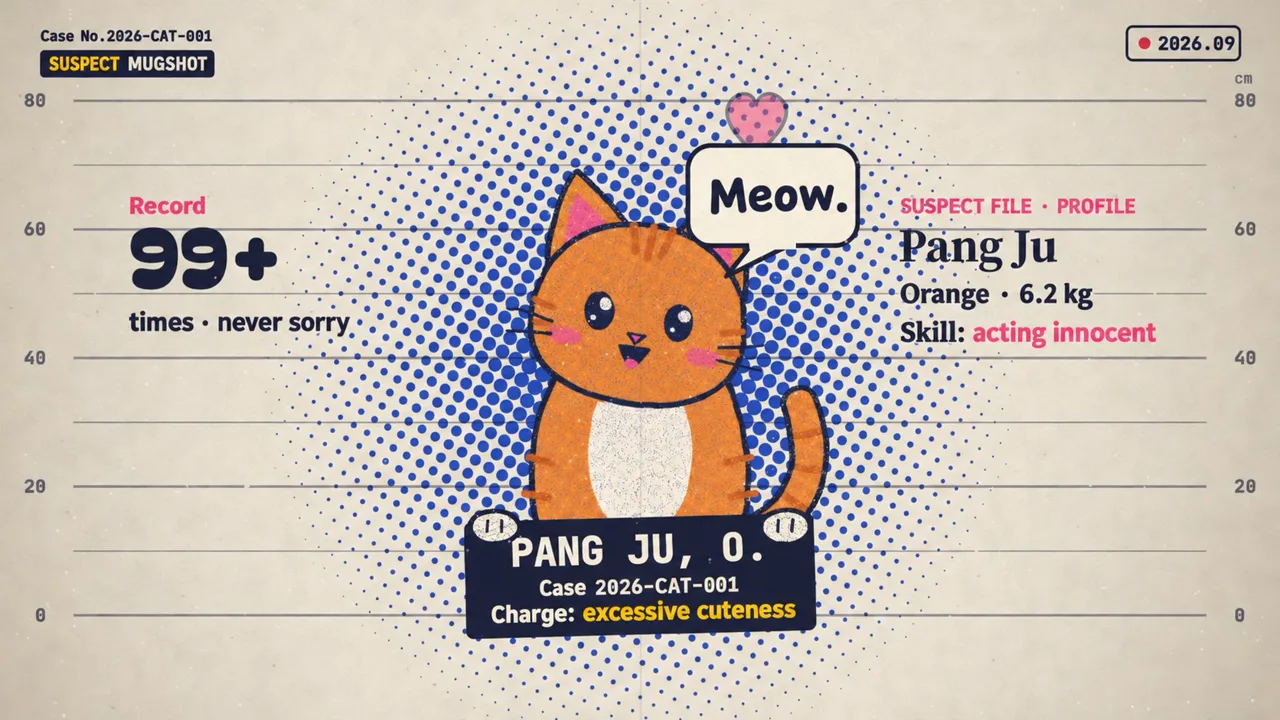
Halftone Dossier Production Pack (Free)
A ssokEdit production pack that turns a one-line topic into an explainer video that unfolds like a case file, with halftone printing, evidence numbers and stamps that slam down (style originally by LemoLab Lemo-Opuscar)
Free
1-year license from the payment date · 1 PC(s) · Seller: Strokehub Co., Ltd.
Signed-in members can download this for free. Import the pack file (.ssokpack) in ssokEdit → Pack Manager → "Import pack file", or install it directly from Pack Manager → Market packs.
An explainer video styled like a vintage printed case file: halftone dots layered on cream document paper, with big headlines and stamps that slam onto the page. Great for humor, everyday tips and short-form videos.
This is an explainer video that looks like an old printed case file. Two or three layers of halftone dots are printed over warm cream document paper to create shadow and light, and extra-bold serif headlines drop in letter by letter with a slightly offset colored shadow. Bureaucratic props like case numbers, evidence numbers, height charts and stamps form the frame, and every topic, serious or trivial, is treated as a "case." Each scene has one big headline, one piece of evidence and one keyword bar.
- No photos needed: the AI draws every scene directly in code.
- The result lands on your timeline with scene video, narration and subtitles on separate tracks, so you can edit right away.
Good topics
Everyday mysteries · cognitive biases · strange pet behavior · clearing up misconceptions · fact-checking rumors · historical anecdotes told like cases
What you choose when running it
- Topic — one line
- Length — 90 seconds by default (30 seconds to several minutes)
- Narration voice and subtitle size can be changed in the production pack settings
How long it takes
The AI draws each scene in code one at a time, so it takes 6–10 minutes for a 30-second video and about 20–30 minutes for 90 seconds. You can keep editing other things while it works.
How to get it
- Log in to ssok.ai and click "Get Production Pack (Free)" above.
- In ssokEdit, go to Production Pack Manager → Market Packs and click Install, or add the downloaded
.ssokpackvia "Import Production Pack File". - On the start screen, choose "Create with Production Pack", pick this pack and enter your topic.
Requirements
- ssokEdit 0.7.1 or later (Windows)
- Claude connection (install and log in under AI Settings) — the original style was designed for Claude, so Claude does the drawing
- Microsoft Edge (included with Windows) — used to capture scenes
Credits
This style is adapted for the ssokEdit engine from LemoLab's open-source Lemo-Opuscar "Halftone Dossier" (github.com/lemomo-ai/lemo-opuscar, code MIT · style CC BY 4.0). The cover image is a scene from LemoLab's original demo video (CC BY 4.0, resized only). Videos you make with this pack are yours, and no attribution is required.