 ssok Launcher
 ssokEdit
 ssokIQ
 ssokCLI
 ssokMusic Free
 ssok Keyword Extractor
 ssokPlayer
 ssokKit
 SsokRecorder
Copperplate Engraving Field Guide Pack (Free)
A ssokEdit production pack that turns a one-line topic into an explainer video styled like an antique natural history copperplate engraving, carved line by line (art style based on LemoLab Lemo-Opuscar)
Free
1-year license from the payment date · 1 PC(s) · Seller: Strokehub Co., Ltd.
Signed-in members can download this for free. Import the pack file (.ssokpack) in ssokEdit → Pack Manager → "Import pack file", or install it directly from Pack Manager → Market packs.
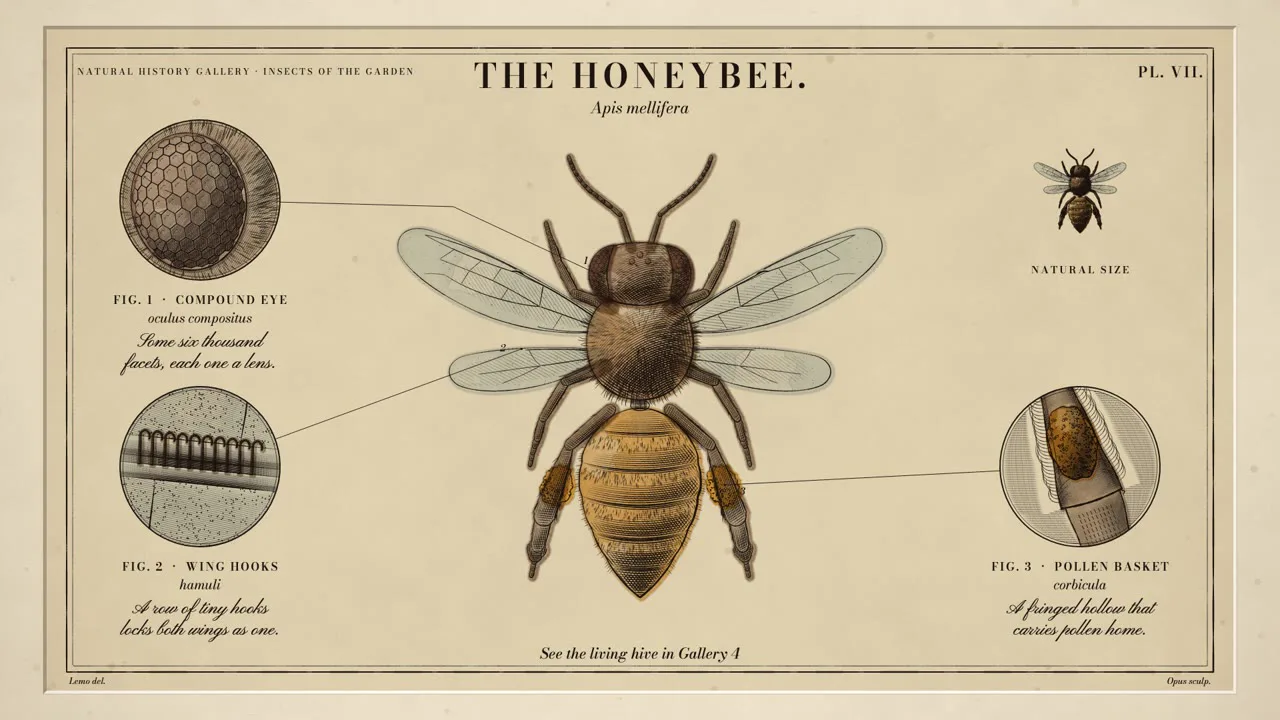
Like a burin cutting into a copper plate, the picture engraves itself — outline → hatching → cross-hatching — then gains magnified roundels, engraved lettering, and hand-applied watercolor, just like an old natural history field guide. Perfect for museum commentary, natural science, and stories about craftsmanship.
This is a video in which a single copperplate engraving from an antique natural history guide engraves itself. On cream paper, inside the pressed plate mark, burin lines build up in order — outline → first hatching → crossed hatching → the darkest third layer of hatching — until the subject takes on depth. Shading is never painted; it comes only from line weight and density. Details are lifted out into round magnified circles (roundels), placed in the margins, and labeled with leader lines and numbers. Lettering is engraved one character at a time, and at the end, transparent watercolor spreads as if brushed on by hand.
- No photos needed — AI draws every scene directly with code.
- The result lands on the timeline with scene video, narration, and subtitles as separate tracks, so you can edit right away.
Suitable Topics
Museum and exhibition commentary · animals and plants · insects · shells and other natural objects · body structure · crafts and artisans · old maps · textbook illustration explainers
What You Choose When Running
- Topic — one line
- Length — 90 seconds by default (30 seconds to several minutes)
- Narration voice and subtitle size can be changed in the pack settings
How Long It Takes
AI draws each scene in code one at a time, so it takes about 6–10 minutes for a 30-second video, and roughly 20–30 minutes for 90 seconds. You can keep editing other things while it works.
How to Get It
- Log in to ssok.ai and click "Get Production Pack (Free)" above.
- In ssokEdit, go to Production Pack Manager → Market Packs and Install directly, or add the downloaded
.ssokpackvia "Import Production Pack File". - On the start screen, choose "Create with Production Pack", select this pack, and enter your topic.
Requirements
- ssokEdit 0.7.1 or later (Windows)
- Claude connection (install and log in under AI Settings) — the original style was built for Claude, so it draws with Claude
- Microsoft Edge (included with Windows) — used to capture scenes
Credits
This style is an adaptation of LemoLab's open-source Lemo-Opuscar "Copperplate Engraving" (github.com/lemomo-ai/lemo-opuscar, code MIT · style CC BY 4.0), modified for the ssokEdit engine. The cover image is a scene from LemoLab's original demo video (CC BY 4.0, resized only). Videos you make with this pack belong to you, and no attribution is required.