 ssok Launcher
 ssokEdit
 ssokIQ
 ssokCLI
 ssokMusic Free
 ssok Keyword Extractor
 ssokPlayer
 ssokKit
 SsokRecorder
Dark Tech Keynote Production Pack (Free)
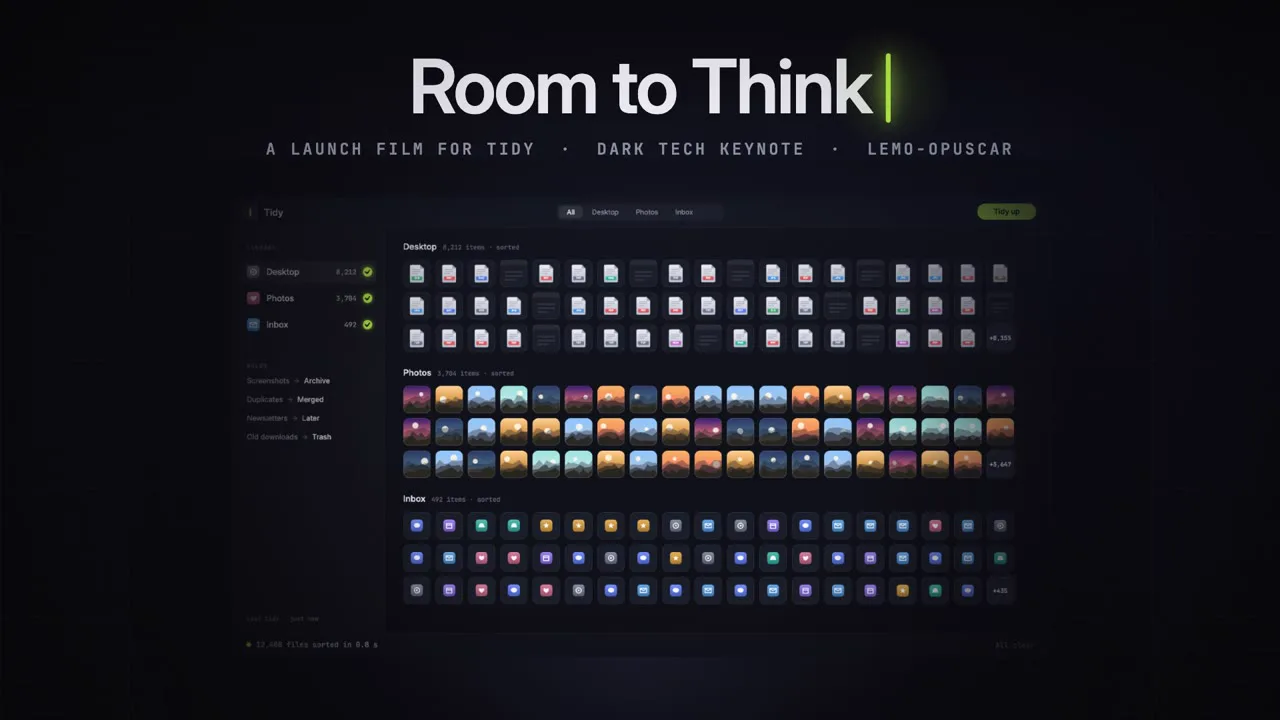
A ssokEdit production pack for software keynote videos where on-screen elements snap into place on the beat — black stage, hairline grid, and a single brand color (style based on LemoLab Lemo-Opuscar)
Free
1-year license from the payment date · 1 PC(s) · Seller: Strokehub Co., Ltd.
Signed-in members can download this for free. Import the pack file (.ssokpack) in ssokEdit → Pack Manager → "Import pack file", or install it directly from Pack Manager → Market packs.
A software keynote video where cursors, windows, notifications and other UI elements move in perfect alignment with a grid on a black stage, revealed as light sweeps across them. Great for introducing apps, services and features.
Like a software launch event video, the interface itself is the star. A near-black gradient stage, a hairline-thin grid, soft cool lighting, and one brand color (lime, purple or orange). Cursors, windows, notification cards, files, tiles and a single number land on the grid, right on the beat. Dramatic contrast drives the story — a chaotic screen pouring in by the rules, one decisive action, then empty space. No real product photos or real operating system screens are used; every screen is a fictional one drawn in code.
- AI draws every scene directly in code — no photos needed.
- Results arrive on the timeline with scene video, narration and subtitles on separate tracks, so you can edit them right away.
Good topics
App and service introductions · new feature announcements · productivity tips · work tool comparisons · development · cloud · security · a single data point · "before vs after"
What you choose when running it
- Topic — one line
- Length — 90 seconds by default (30 seconds to several minutes)
- Narration voice and subtitle size can be changed in the pack settings
How long it takes
AI draws the scenes in code one at a time, so a 30-second video takes 6–10 minutes, and a 90-second one about 20–30 minutes. You can keep editing other things while it works.
How to get it
- Log in to ssok.ai and click "Get Production Pack (Free)" above.
- In ssokEdit, go to Production Pack Manager → Market Packs and install it directly, or add the downloaded
.ssokpackvia "Import Production Pack File". - On the start screen, choose "Create with Production Pack", select this pack and enter your topic.
Requirements
- ssokEdit 0.7.1 or later (Windows)
- Claude connected (install and log in from AI settings) — the original style was built for Claude, so Claude does the drawing
- Microsoft Edge (included with Windows) — used to capture scenes
Credits
This style is an adaptation of LemoLab's open-source Lemo-Opuscar "Dark Tech Keynote" (github.com/lemomo-ai/lemo-opuscar, code MIT · style CC BY 4.0), modified for the ssokEdit engine. The cover image is a scene from LemoLab's original demo video (CC BY 4.0, resized only). Videos you make with this pack are yours, and no attribution is required.