 ssok Launcher
 ssokEdit
 ssokIQ
 ssokCLI
 ssokMusic Free
 ssok Keyword Extractor
 ssokPlayer
 ssokKit
 SsokRecorder
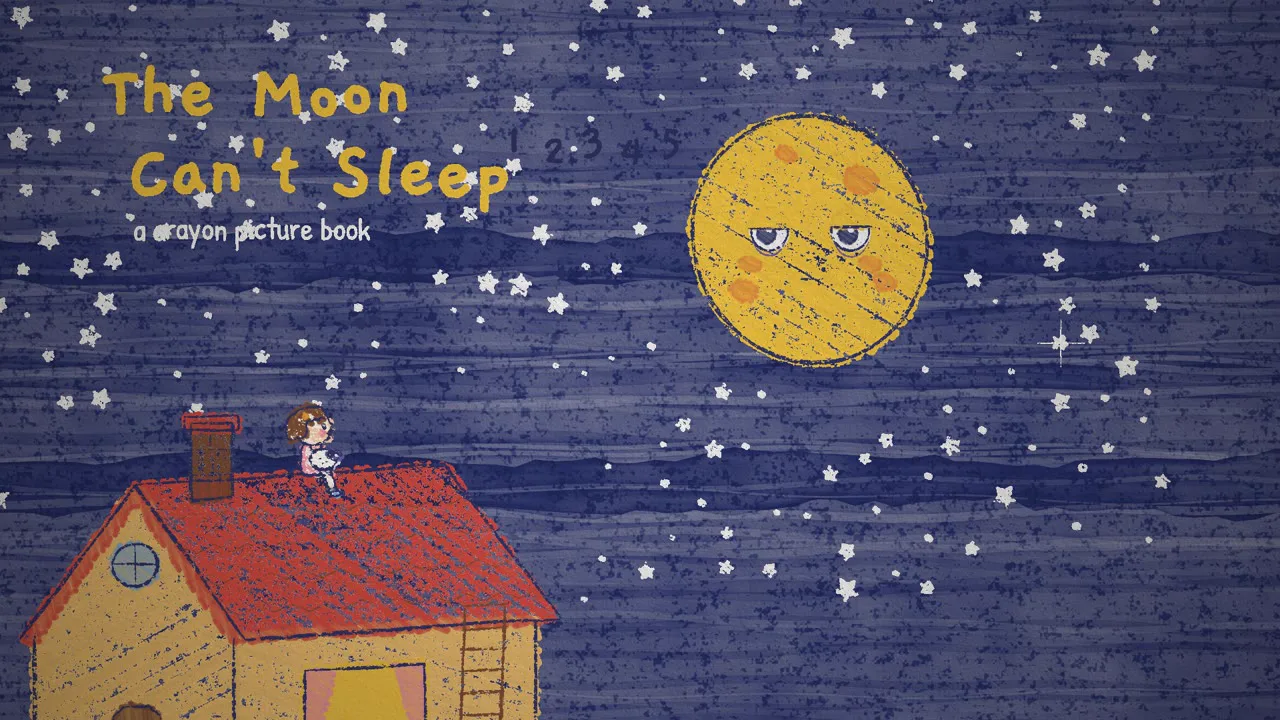
Crayon Picture Book Pack (Free)
A ssokEdit production pack that turns a one-line topic into a video like a picture book page: drawn in crayon, with secrets revealed by a watercolor wash (style based on LemoLab's Lemo-Opuscar)
Free
1-year license from the payment date · 1 PC(s) · Seller: Strokehub Co., Ltd.
Signed-in members can download this for free. Import the pack file (.ssokpack) in ssokEdit → Pack Manager → "Import pack file", or install it directly from Pack Manager → Market packs.
Scenes are drawn one by one in crayon on textured paper, and a single watercolor wash reveals white-crayon drawings that were hidden all along. A picture-book-style video, perfect for fairy tales, bedtime stories and children's learning.
This pack creates a video of a picture book page being drawn in crayon on warm cream paper. Twelve crayons, childlike perspective (people taller than doors, a sun with a face), coloring that spills outside the lines, and lines that wobble (boil) slightly every moment. And there's just one paint: when a watercolor wash sweeps across, it reveals what was drawn in white crayon from the start (stars, letters, roots). And coloring is the story itself: coloring in a coat means it's been put on, adding pink means cheeks are blushing, and a blue wash means night has fallen.
- No photos needed — AI draws every scene directly in code.
- The result lands on the timeline with scene video, narration and subtitles on separate tracks, so you can edit right away.
Great topics
Bedtime stories · Kids' science (Why does that happen?) · Seasons · Nature · Family stories · Thank-you messages · Year in review · Small brand stories
What you choose when running it
- Topic — one line
- Length — 90 seconds by default (30 seconds to several minutes)
- Narration voice and subtitle size can be changed in the pack settings
How long it takes
AI draws each scene in code one at a time, so it takes about 6–10 minutes for a 30-second video and 20–30 minutes for 90 seconds. You can keep editing other things in the meantime.
How to get it
- Log in to ssok.ai and click "Get Pack (Free)" above.
- In ssokEdit, go to Pack Manager → Market Packs and click Install, or add the downloaded
.ssokpackvia "Import Pack File". - On the start screen, choose "Create with Pack", select this pack and enter your topic.
Requirements
- ssokEdit 0.7.1 or later (Windows)
- Claude connection (install and log in under AI settings) — the original style was built for Claude, so Claude does the drawing
- Microsoft Edge (included with Windows) — used to capture scenes
Credits
This style is adapted for the ssokEdit engine from LemoLab's open-source Lemo-Opuscar "Crayon Picture Book" (github.com/lemomo-ai/lemo-opuscar, code MIT · style CC BY 4.0). The cover image is a scene from LemoLab's original demo video (CC BY 4.0, resized only). Videos you make with this pack belong to you, and no attribution is required.