 ssok Launcher
 ssokEdit
 ssokIQ
 ssokCLI
 ssokMusic Free
 ssok Keyword Extractor
 ssokPlayer
 ssokKit
 SsokRecorder
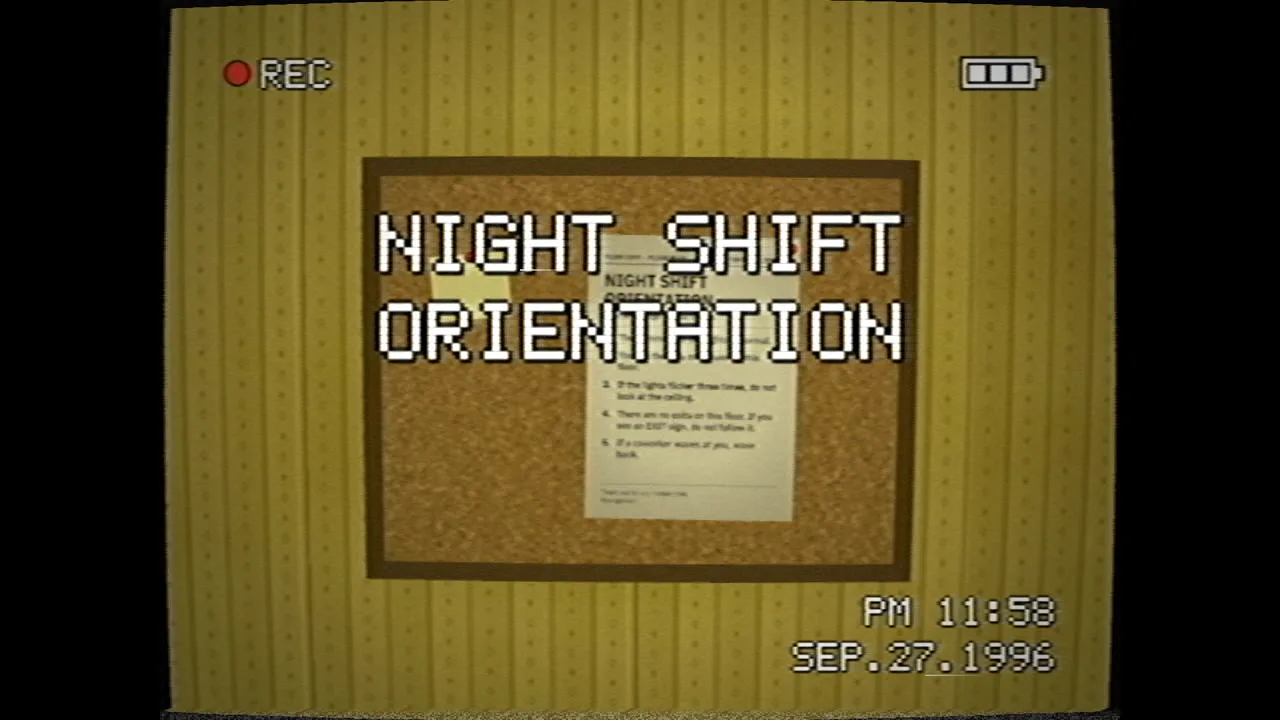
Liminal Found Footage Production Pack (Free)
A ssokEdit production pack that turns a one-line topic into a mystery video that looks like 1990s camcorder tape wandering through an empty yellow office (style based on LemoLab Lemo-Opuscar)
Free
1-year license from the payment date · 1 PC(s) · Seller: Strokehub Co., Ltd.
Signed-in members can download this for free. Import the pack file (.ssokpack) in ssokEdit → Pack Manager → "Import pack file", or install it directly from Pack Manager → Market packs.
First-person footage that looks like it was shot on a 1990s camcorder tape, wandering through endless, empty fluorescent-lit offices. Instead of monsters, the rules posted on the walls and the tape noise carry the story. Great for mystery, horror and game teasers.
It's first-person footage of endless empty interiors (offices, hotel hallways, schools, parking garages, hospital wings) recorded on a 1990s home camcorder. A 4:3 frame, one unbroken handheld take, humming fluorescent lights, and no people. The fear doesn't come from monsters but from emptiness, repetition, bureaucratic rules, and a camera that breaks down at exactly the wrong moment. Nobody is chasing you — it's not a jump scare but a chill down the back of your neck. Focus, exposure, tape damage and the on-screen display (REC, battery, time) drive the story. It's not a monster movie, not gore, not sound-effect jump scares, and not ruins (cleanliness is part of this style).
- AI draws every scene directly in code, with no photos.
- The result arrives on the timeline with scene video, narration and subtitles as separate tracks, so you can edit it right away.
Good topics
Mystery · ghost stories · urban legend explainers · space and psychology (liminal spaces · déjà vu) · game and novel teasers · night shifts · empty building stories · rule-based horror stories
What you choose when running it
- Topic — one line
- Length — 90 seconds by default (30 seconds to several minutes)
- You can change the narration voice and subtitle size in the production pack settings
How long it takes
The AI draws scenes in code one at a time, so it takes about 6–10 minutes for a 30-second video, and about 20–30 minutes for 90 seconds. You can keep editing other things while it works.
How to get it
- Log in to ssok.ai and click 「Get Production Pack (Free)」 above.
- In ssokEdit, go to Production Pack Manager → Market Production Packs and install it directly, or add the downloaded
.ssokpackvia 「Import Production Pack File」. - On the start screen, choose this pack under 「Create with Production Pack」 and enter your topic.
Requirements
- ssokEdit 0.7.1 or later (Windows)
- Claude connected (install and log in from AI settings) — the original style was built for Claude, so it draws with Claude
- Microsoft Edge (included with Windows by default) — used to capture the scenes
Credits
This style is an adaptation of LemoLab's open-source Lemo-Opuscar 「Liminal Found Footage」 (github.com/lemomo-ai/lemo-opuscar, code MIT · style CC BY 4.0), modified to fit the ssokEdit engine. The cover image is a scene from LemoLab's original demo video (CC BY 4.0, resized only). Videos you make with this pack belong to you, and no attribution is required.