 ssok Launcher
 ssokEdit
 ssokIQ
 ssokCLI
 ssokMusic Free
 ssok Keyword Extractor
 ssokPlayer
 ssokKit
 SsokRecorder
ssokEdit Production Packs
Timer Production Pack (Free)
A ssokEdit production pack that turns a time value into a countdown timer or Pomodoro video
Free
1-year license from the payment date · 1 PC(s) · Seller: Strokehub Co., Ltd.
Signed-in members can download this for free. Import the pack file (.ssokpack) in ssokEdit → Pack Manager → "Import pack file", or install it directly from Pack Manager → Market packs.
Enter a time and get a timer video that counts down to zero.
No AI and no narration. It renders exactly the values you enter, so the result is the same every time and uses no AI credits.
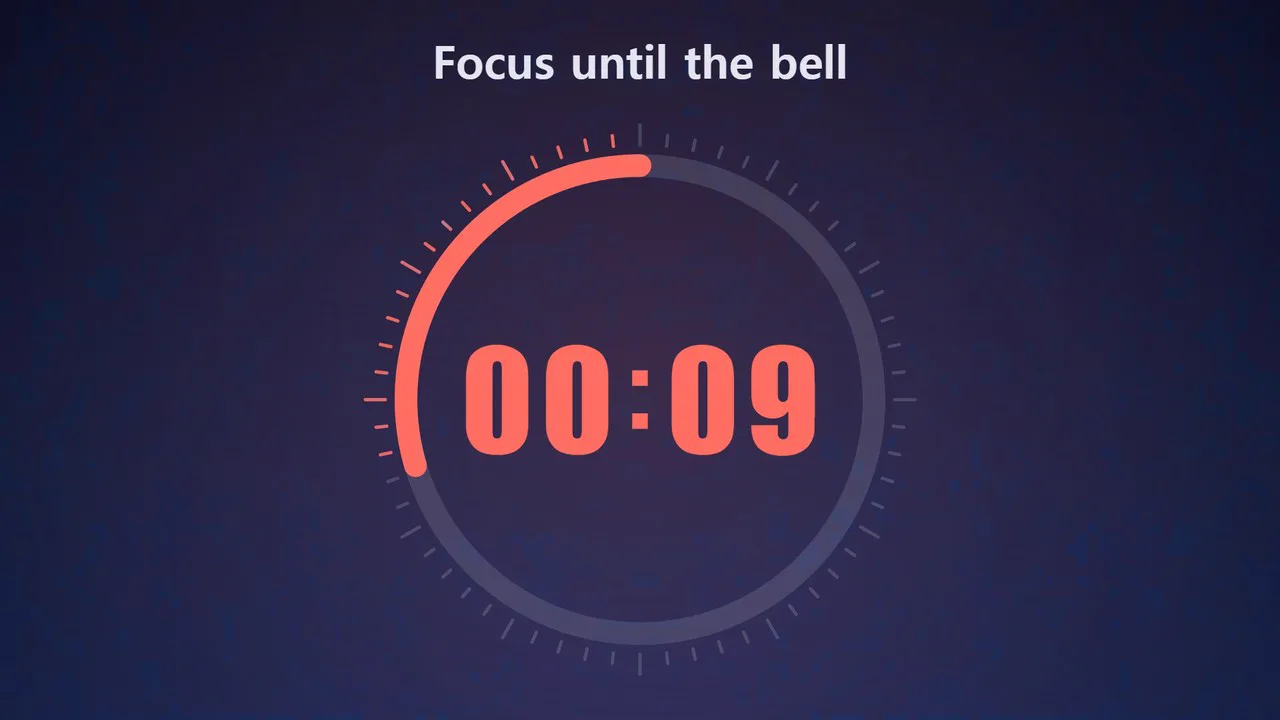
- Four styles — Ring (a big number inside a shrinking ring with tick marks) · Bar (a full-width bar shrinks with a big number above it) · Hourglass (sand drains as time runs out) · Flip (flipping number cards)
- Four color themes — Night Sky · Blackout (black background, for stream waiting screens) · Paper (light background) · Sunset
- Steady digits — Each digit sits in a fixed-width slot, so nothing shifts when the numbers change
- Final 10 seconds — Switches to an accent color, and the number pulses slightly every second
- End screen — At zero, the screen gently flashes and "Time's up!" appears for 5 seconds
- Pomodoro — Alternates focus and break periods. Shows the period name and round (1/2), with a different color for each period
- Text overlay — Add a single line on top, like "Break time" or "Until the exam ends"
- Landscape and portrait
Use it for
- Breaks · exams · presentations — Put it up on a classroom or event screen
- Study · focus videos — Make a Pomodoro video and post it with music
- Stream waiting screens — Use the Blackout theme for a "Starting soon" timer
- Workouts · cooking — Short timers like a 1-minute plank or 3 minutes to steep tea
Options when you run it
- Project title — Not shown on screen
- Type — Timer / Pomodoro
- Timer duration — A plain number means minutes. 5 · 5분 · 1:30 · 90초 · 1시간. From 10 seconds to 60 minutes
- Style · color
- Screen text — Optional. Up to 30 characters
- Pomodoro focus time · break time · rounds — Defaults: 25 min · 5 min · 2 rounds. Up to 4 rounds
Good to know
- There is no sound. If you want an alert, add a sound effect on the timeline where the "Time's up!" screen begins.
- The video length is the timer length, plus a 2-second start screen and a 5-second end screen. The "Length" value in the run window is not used.
- Rendering takes roughly as long as the timer itself, and may take longer depending on your computer. A 25-minute timer renders 45,000 frames. Allow plenty of time for long timers.
- A Pomodoro can't exceed 60 minutes in total. If it would, the number of rounds is reduced and you'll be told in the result notice. The defaults (25 min · 5 min · 2 rounds) come to exactly 60 minutes.
- A one-hour timer shows the time as h:mm:ss.
- Photos, logos and music are not included.
- If you choose English as the language in the run window, the fixed on-screen text appears in English (「시작」 → Ready, 「집중」 · 「휴식」 → Focus · Break, 「끝」 → Time's up!, 「5분 타이머」 on the end screen → 5 min timer). The screen text field appears exactly as typed, so write it in English (up to 48 characters in English).
Requirements
- ssokEdit 1.3.2 or later (Windows)
- Microsoft Edge (included with Windows) — used to render the screen