 ssok Launcher
 ssokEdit
 ssokIQ
 ssokCLI
 ssokMusic Free
 ssok Keyword Extractor
 ssokPlayer
 ssokKit
 SsokRecorder
ssokEdit Production Packs
Random Picker Pack (Free)
A ssokEdit production pack that turns a simple list into a video picking one winner with a spinning wheel, ladder game or card flip
Free
1-year license from the payment date · 1 PC(s) · Seller: Strokehub Co., Ltd.
Signed-in members can download this for free. Import the pack file (.ssokpack) in ssokEdit → Pack Manager → "Import pack file", or install it directly from Pack Manager → Market packs.
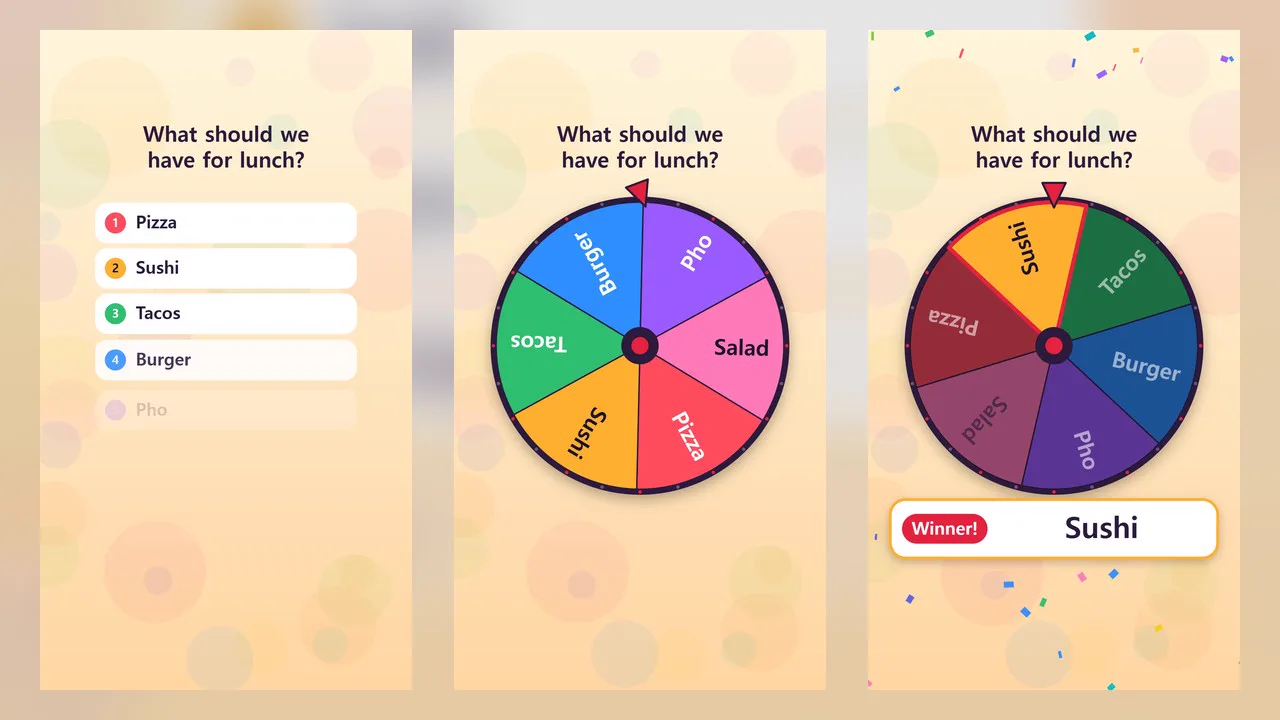
Write one item per line, and it creates a video that picks one using a spinning wheel, a ladder game, or card flipping.
No AI or narration is used. It doesn't consume any AI usage, and your text appears on screen exactly as written.
- Spinning wheel — A wheel divided into colored slices spins and slowly comes to a stop. The slice the needle points to lights up and its name appears in large text
- Ladder — Items at the top, a single 「Winner」 slot at the bottom. It shows a line tracing down along the rungs. If you enter prizes in the bottom slots, it traces every item in turn and shows a matching chart at the end
- Card flip — Cards with your items are flipped face down and shuffled, then one is turned over. At the end, the remaining cards are revealed too
- Seed number — The result is determined by a single number. Making it again with the same items and the same number gives the same result
- Three themes — Festival · Neon · Chalkboard
- Vertical and horizontal
Use it for
- Picking a menu or place — Today's lunch, a travel destination, a movie to watch
- Deciding order or duties — Presentation order, cleaning duty, penalties
- Shorts and stream segments — Picking one of the candidates sent in by viewers
- Party games — Write prizes or penalties in the ladder's bottom slots to match everyone up
Options when running
- Items to pick from — One per line, 2 to 12. Writing the same name on multiple lines gives it that many more chances to be picked
- Picking method — Spinning wheel / Ladder / Card flip
- Ladder bottom slots — Optional. Used only for the ladder. If there are fewer lines than items, the remaining slots become 「Miss」
- On-screen title — Optional. If left blank, the project title is used
- Theme — Festival / Neon / Chalkboard
- Seed number — Optional. If left blank, a new number is drawn each time you run it
- Length — 15 seconds by default, from 8 to 60 seconds. The result screen shows for at least 3 seconds
Good to know
- This is not an official draw. The result is calculated from the seed number, so the same number always produces the same result. You could also keep changing the number and remaking it until you get the result you want. Don't use it for paid-entry draws, prize giveaways, or any draw whose procedure is set by law or terms and conditions.
- After the video is made, the seed number used is shown in the result notice and written to spec.json in the run folder. To make the same video again, keep the items and their order unchanged and enter that number in the seed number field.
- The picked item is determined by the number of items and the seed number, regardless of method. Changing only the method, theme, or length picks the same item (if you entered prizes on a ladder, the matchups are determined separately).
- Long names are shrunk or shortened with an ellipsis. Ladders with many items show names vertically. Short names are easiest to read.
- A ladder with prizes traces every item in turn, so with many items, a length of 30 seconds or more looks better.
- No sound is included. Add sound effects or music separately on the timeline.
- If you choose English as the language in the run window, the fixed on-screen text appears in English (「당첨」 → Winner!, leftover ladder slot 「꽝」 → Miss). Items, prizes, and the title appear exactly as written, so please write them in English.
Requirements
- ssokEdit 1.3.2 or later (Windows)
- Microsoft Edge (included with Windows) — used to capture the screen