 ssok Launcher
 ssokEdit
 ssokIQ
 ssokCLI
 ssokMusic Free
 ssok Keyword Extractor
 ssokPlayer
 ssokKit
 SsokRecorder
ssokEdit Production Packs
Card News Production Pack (Free)
A ssokEdit production pack that turns a one-line topic into a card news video where designed cards flip by one at a time
Free
1-year license from the payment date · 1 PC(s) · Seller: Strokehub Co., Ltd.
Signed-in members can download this for free. Import the pack file (.ssokpack) in ssokEdit → Pack Manager → "Import pack file", or install it directly from Pack Manager → Market packs.
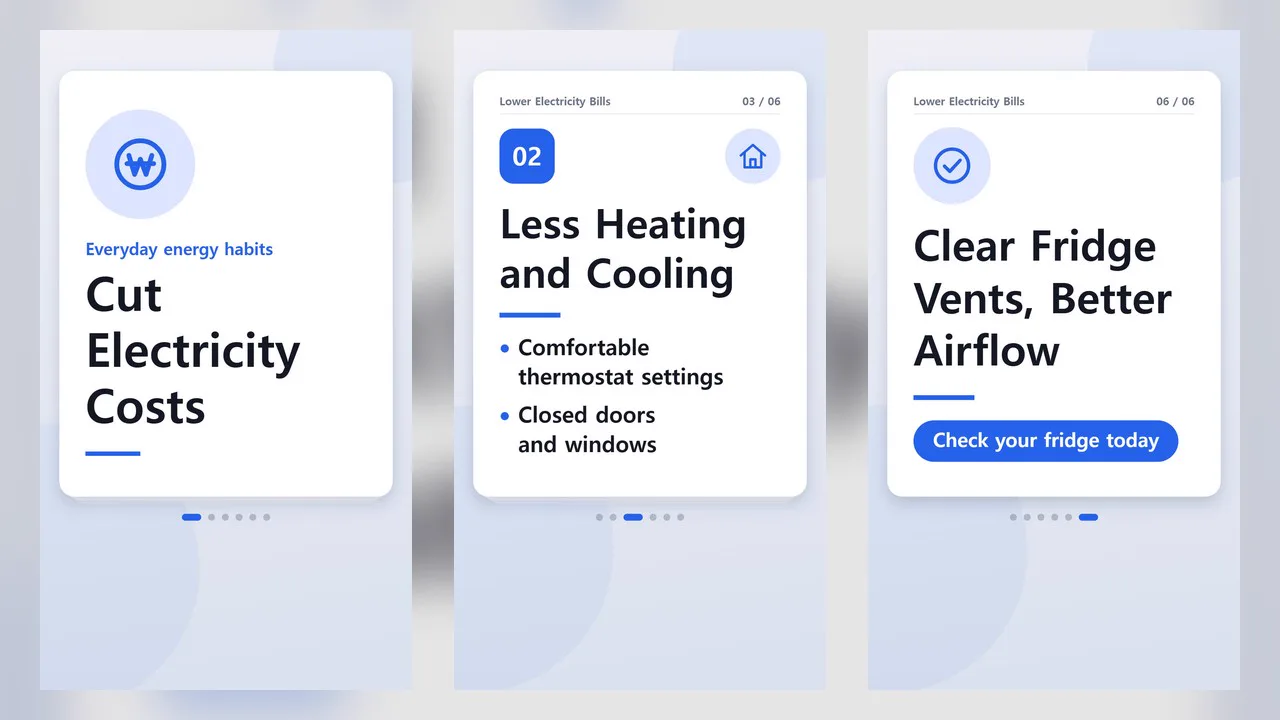
Enter a single-line topic and get a card news video where designed cards flip by one at a time.
The cards keep only short text, while narration and subtitles handle the explanation. No photos are used—just text and icons drawn in code. Since the AI doesn't write scene code, it's fast and the layout always stays clean.
- Five card types — Cover · Numbered key point · Quote · Checklist · Closing
- One card at a time — Slide, flip, and lift-up transitions alternate, and the text on each card appears in order from top to bottom
- Checklist — Lines appear one by one and get checked off
- 22 icons — Light bulb · Check · Clock · Heart · Money · Graph · Warning · Star · Pin · Book, and more. They're added only when one fits the card's content
- Page indicators — Dots below the card and "03 / 07" above it
- Use your own card text — If you enter card text, it's kept exactly as written and only the narration is generated
- Four themes — Clean White · Dark · Pastel · Newspaper. Vertical and horizontal
- The result lands on the timeline as separate card news video, narration, and subtitle tracks, so you can edit it right away
Options when you run it
- What the card news is about — e.g. How to cut your electricity bill when living alone
- Your card text — Optional. Separate cards with a blank line; the first line of each card is the title and the following lines are the body. Up to 8 cards
- Number of cards — 5 / 6 / 7 / 8
- Tone — Informative / Friendly / Assertive
- Series title · Theme
- Length — 45 seconds by default
Good to know
- If you don't enter card text, the AI writes both the card text and the narration. AI-written content may contain errors, so please check it yourself before posting.
- Large numbers on cards appear only if they come from your topic or reference notes, and quote card sources appear only if you provided them. Please double-check any numbers in the body text and narration.
- With your own card text, the first card becomes the cover and the last becomes the closing card. Body text fits up to 3 lines on key point cards, 5 lines on checklist cards, and 2 lines on cover and closing cards; extra lines are dropped. Longer text is shown in a smaller font.
- Photos, logos, and product images are not included.
- English videos — Select English in the run window and the card text, narration, and subtitles will all be in English. Numbers are used exactly as you wrote them.
Requirements
- ssokEdit 1.3.2 or later (Windows)
- Microsoft Edge (included with Windows by default) — used to capture the screen