 ssok Launcher
 ssokEdit
 ssokIQ
 ssokCLI
 ssokMusic Free
 ssok Keyword Extractor
 ssokPlayer
 ssokKit
 SsokRecorder
ssokEdit Production Packs
Photo Slideshow Pack (Free)
A ssokEdit production pack that turns your photos into a slideshow video (no AI)
Free
1-year license from the payment date · 1 PC(s) · Seller: Strokehub Co., Ltd.
Signed-in members can download this for free. Import the pack file (.ssokpack) in ssokEdit → Pack Manager → "Import pack file", or install it directly from Pack Manager → Market packs.
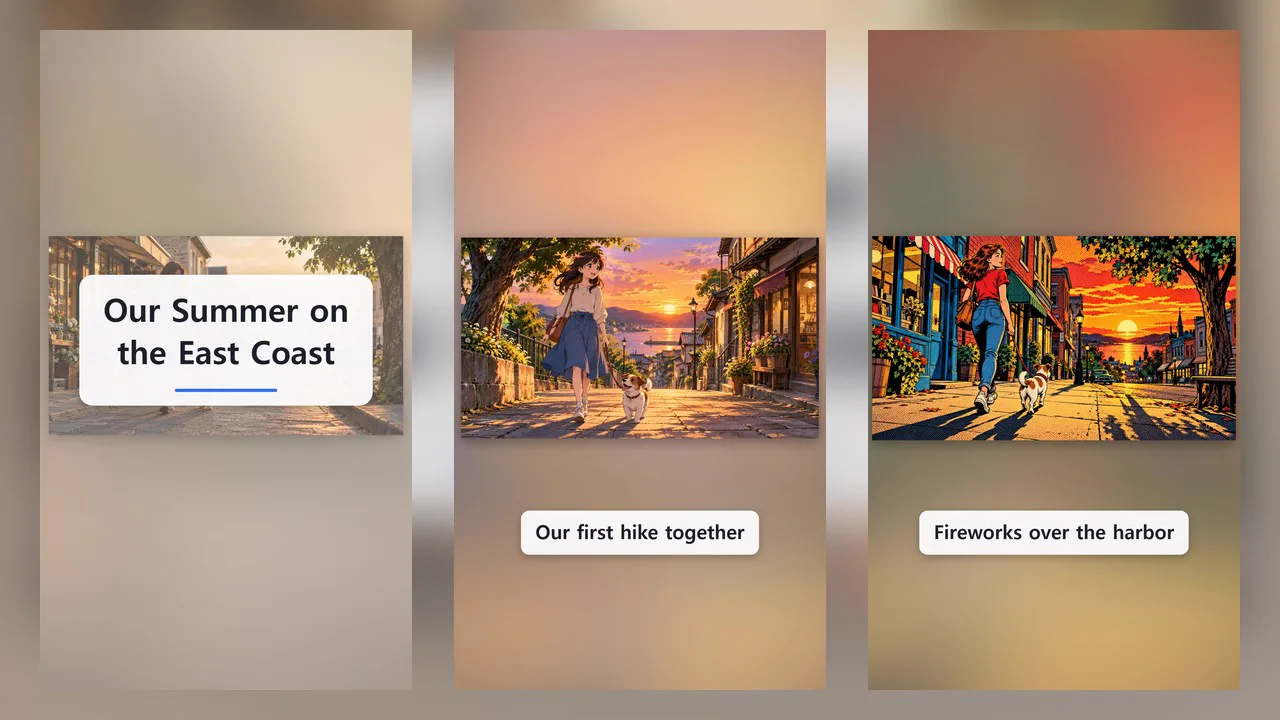
Pick 2–30 of your photos and get a single slideshow video that flips through them.
No AI involved. Your photos are animated as they are, so there's little waiting, and the same photos and settings always produce the same video.
- Ken Burns — Each photo fills the screen and slowly zooms in or pans sideways, then crossfades into the next
- Polaroid — White-bordered prints drop onto a table one at a time. Each new photo lands on top while earlier ones stay underneath
- Grid — Cells fill in one by one, then each photo is enlarged in turn before returning to the full grid at the end
- Film — A perforated film strip scrolls by and pauses at the center for each photo (upward in portrait, sideways in landscape)
- A line per photo — One line of text per photo, in order. With Polaroid, it's written in the margin below the print
- Title & closing text — The title appears over the first photo for 2 seconds; the closing text appears over the last photo
- Mix portrait & landscape photos — Photos are never stretched. Photos whose aspect ratio differs a lot from the screen are shown in full, with a blurred copy of the same photo filling the empty space
- Three themes — Light, Dark, and Warm. Portrait and landscape
- The result appears on your timeline as a single "Photo Slideshow" video clip
Options when you run it
- Photos — Required. 2–30 photos, shown in the order you add them
- Style — Ken Burns / Polaroid / Grid / Film
- Speed — Slow / Normal / Fast (4 / 3 / 2 seconds per photo)
- A line per photo — Optional. For photos without text, just enter - on that line
- Title & closing text — Optional
- Theme — Light / Dark / Warm
- Length — If you set a length in the run window, the time per photo is adjusted to fit it (1.2–8 seconds per photo). Total length is 0.5 s + number of photos × time per photo + 1 s, plus 2 seconds each for a title and closing text
Supported photos
- JPG, PNG, WEBP, and BMP are supported. For animated GIFs, only the first frame is used.
- HEIC (the iPhone default format) may not be readable. If it can't be read, convert it to JPG first.
- Photos taken upright on a phone are rotated correctly using the orientation info (EXIF) stored in the photo.
- Large photos are downscaled to 1600 pixels on the long side. Very small photos will look blurry.
- PNGs with transparent backgrounds show black where they're transparent.
- Your original photo files are never changed. Downscaled copies are kept separately in the project folder.
Good to know
- Your photos never leave your PC. Conversion and capture both happen on this PC, and the copies don't keep photo metadata such as location.
- Only use photos you have the right to use. If people appear in them, you also need their consent. The creator is responsible for videos that use other people's photos or show people without their consent.
- Photos with an aspect ratio close to the screen's are cropped slightly at the edges to fill it. Small grid cells also show only the center, with the full photo shown when enlarged.
- Long text is shrunk and split into two lines; if it still overflows, it's cut off with an ellipsis (…). Each line can be up to 60 characters.
- There's no narration or subtitles. Sound is only added when the production pack includes background music. Add music on the timeline.
- If you choose English as the language in the run window, the video is made in English. The only on-screen text is the title, per-photo lines, and closing text you write, so just write them in English. English text is shrunk first to avoid breaking words mid-word, and accepts up to 90 characters per line, 60 for the title, and 80 for the closing text.
Requirements
- ssokEdit 1.3.2 or later (Windows)
- Microsoft Edge (included with Windows) — used to capture the screen